
 Simulation Battery voltage
Is there a way to change the +BAT diagnostic channel during simulation? I am doing some demonstrations that use this value to show engine charging voltage and it is stuck at 12.40V. I have a 24V system, so a low voltage error is persistent.

IQANgo
The new IQANgo app is now available on App Store and Google Play.
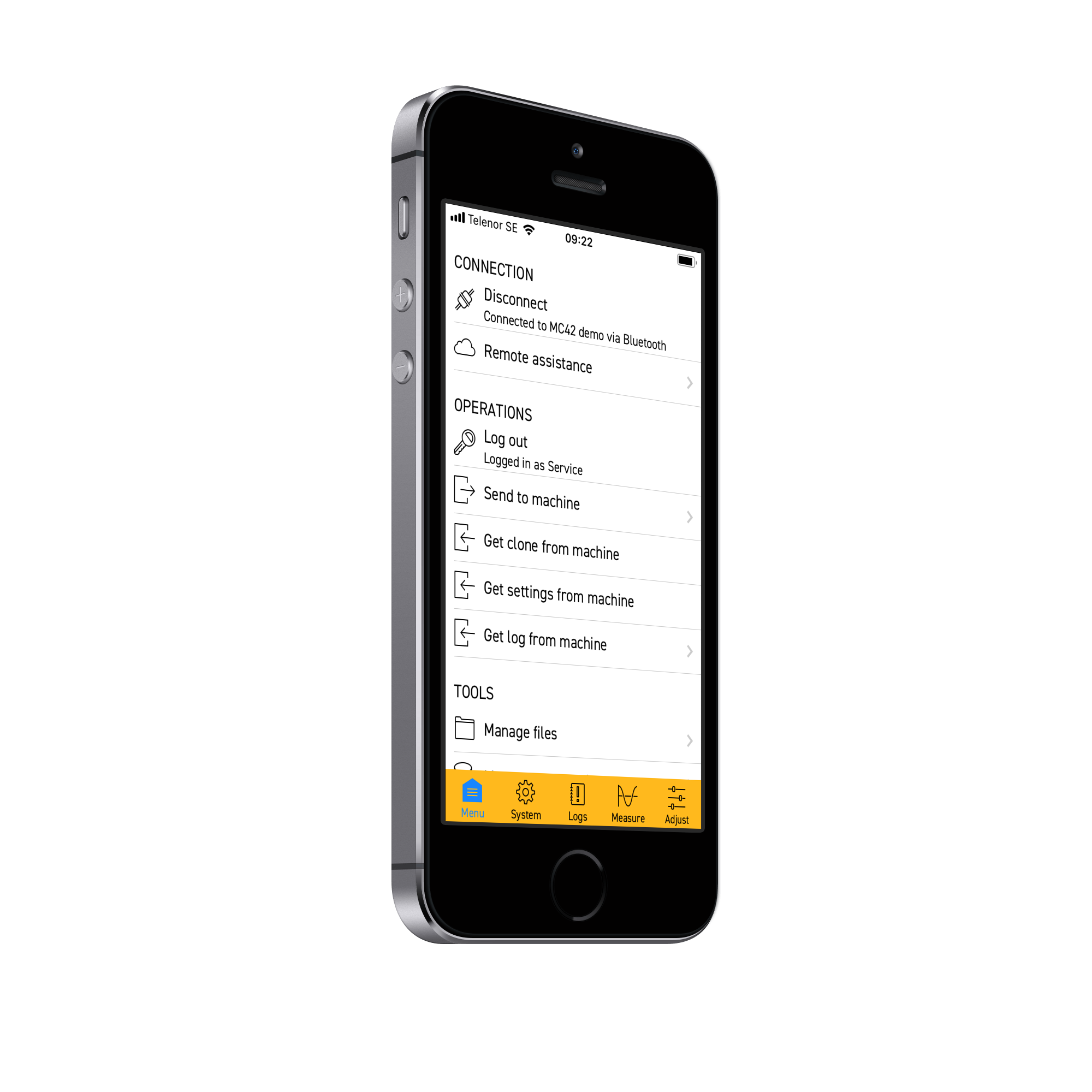
With IQANgo, the functionality of IQANrun for tablets and IQANsync is merged into one app, designed for both phones and tablets.
Main features
Measure
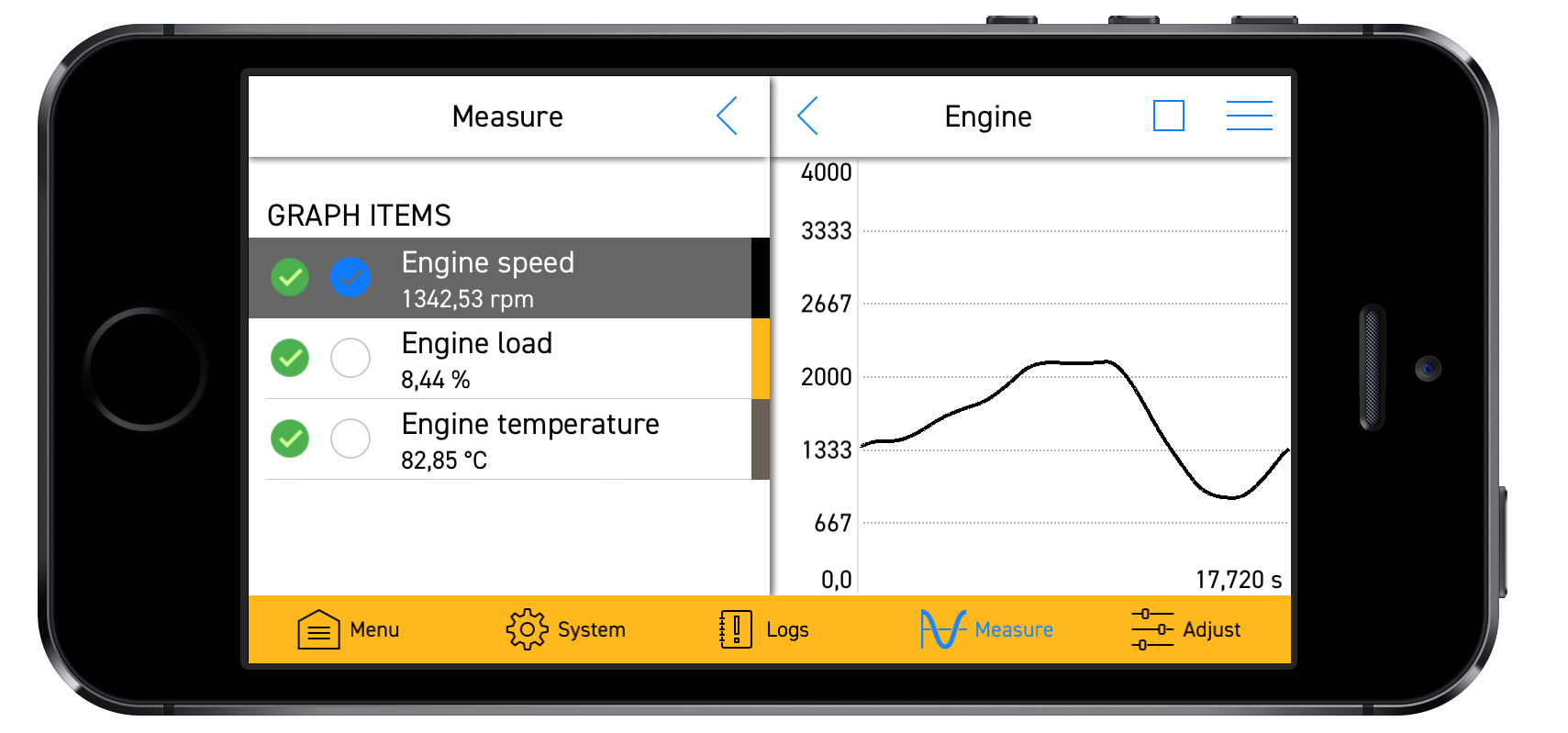
The IQANgo user interface is adapted to fit the screen size on phones, including graph measure.
Adjust
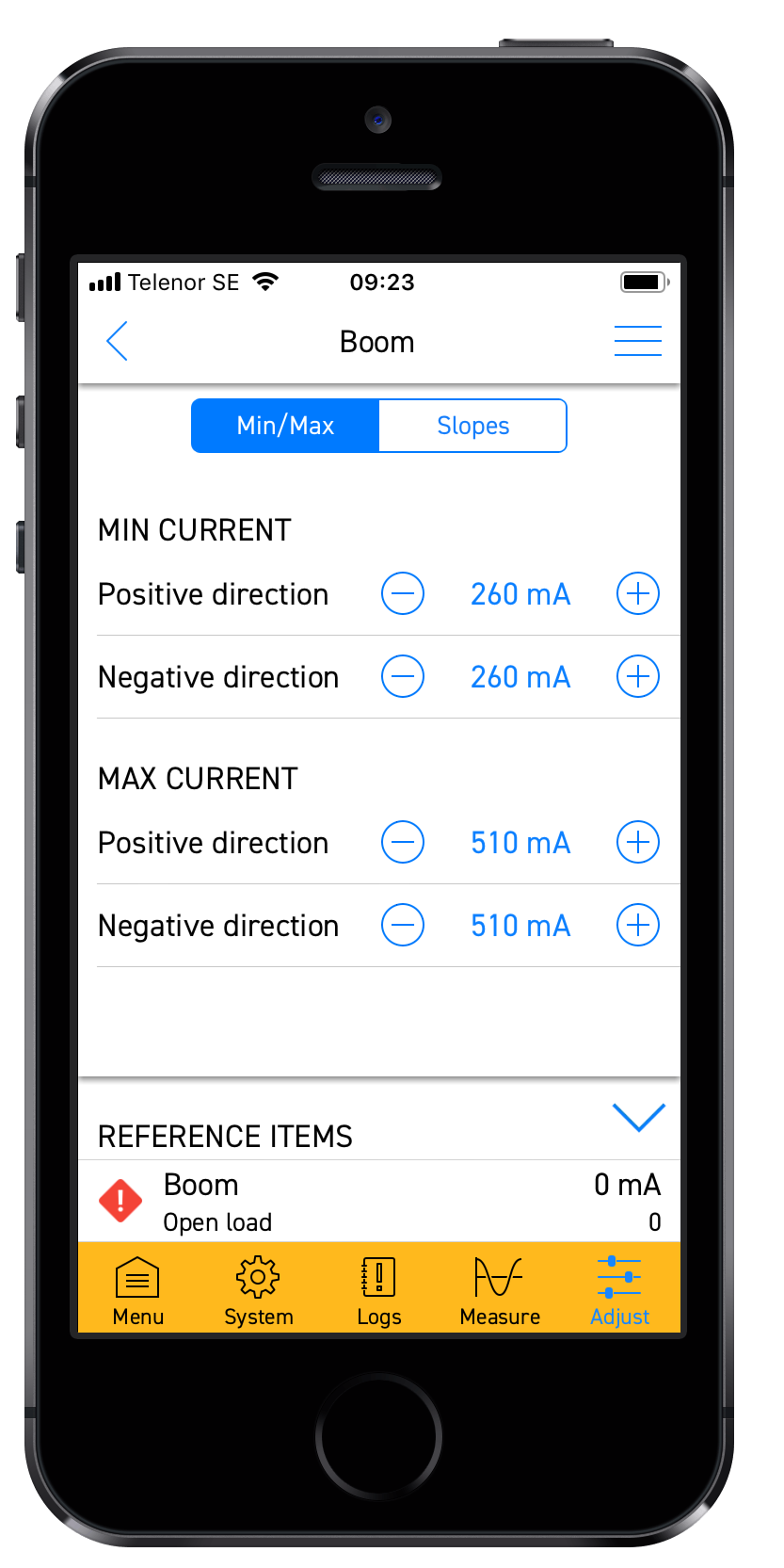
IQANgo can be used for adjusting items that are available in any adjust group in the system, similar to IQANrun for PC with a more compact user interface.
Protected adjust groups can be accessed through user login.
Send, Get and Manage files.
Send updates to machine using project-, clone- or settings files.
Tapping any of these attachments in a mail program or file explorers will launch IQANgo. In cases where this does not work, put the file under the IQANgo folder on the device.
Get clone, settings and log files.Files are stored under the IQANgo folder on the device.
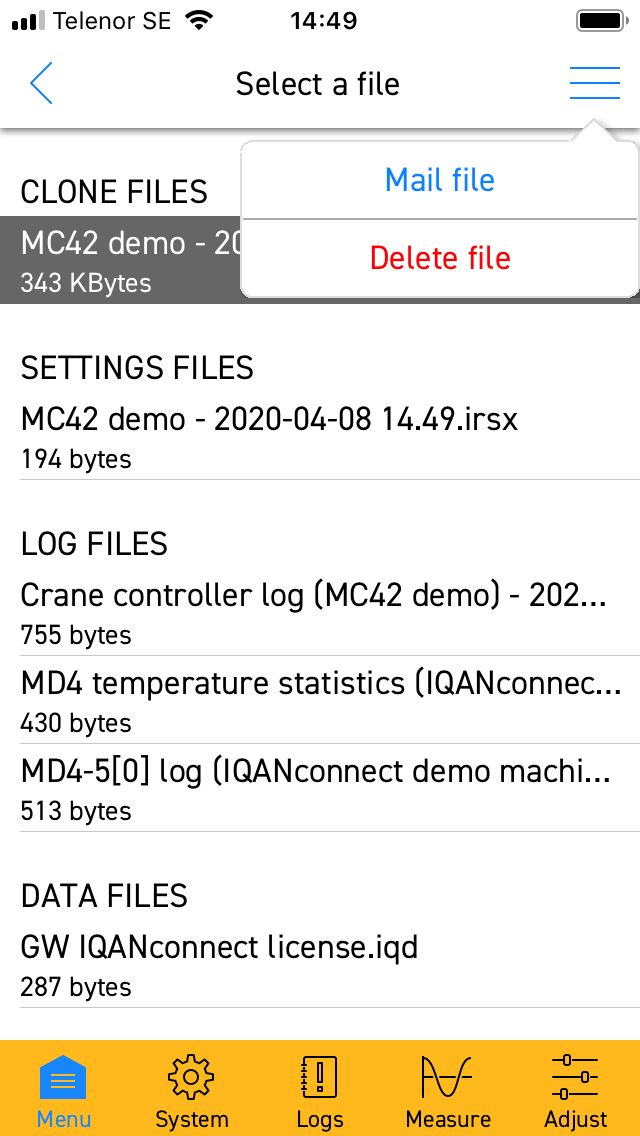
-Manage and email files stored locally on the device.
Logs
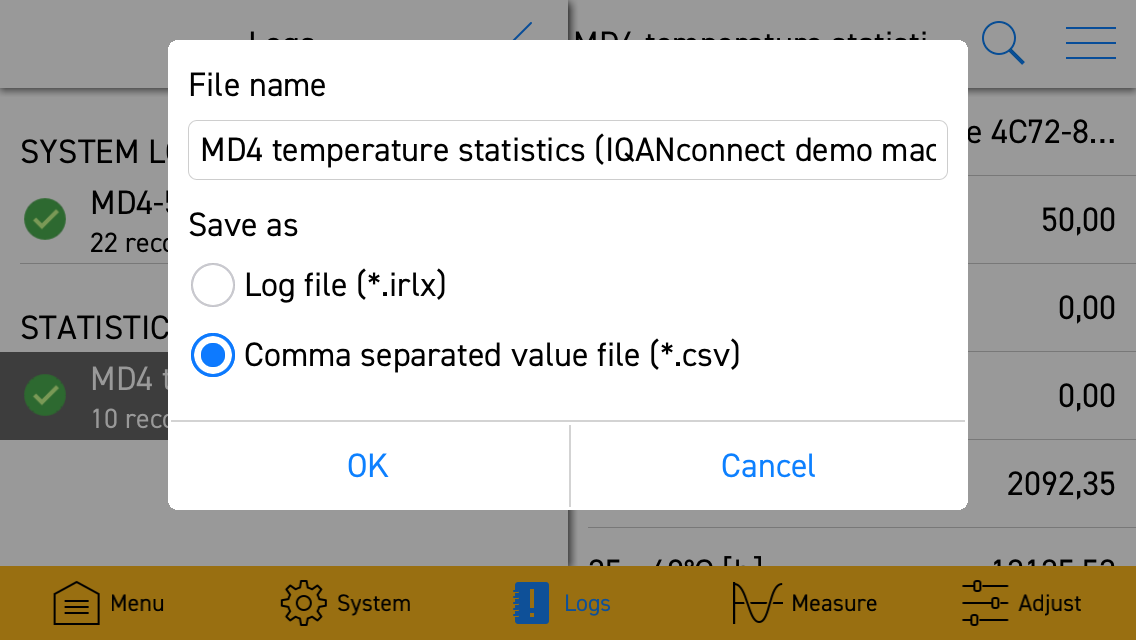
Logs can be viewed, saved (IQANrun log file or CSV) or emailed.
Connection
Connect to machines using WiFi, Bluetooth or via Internet.
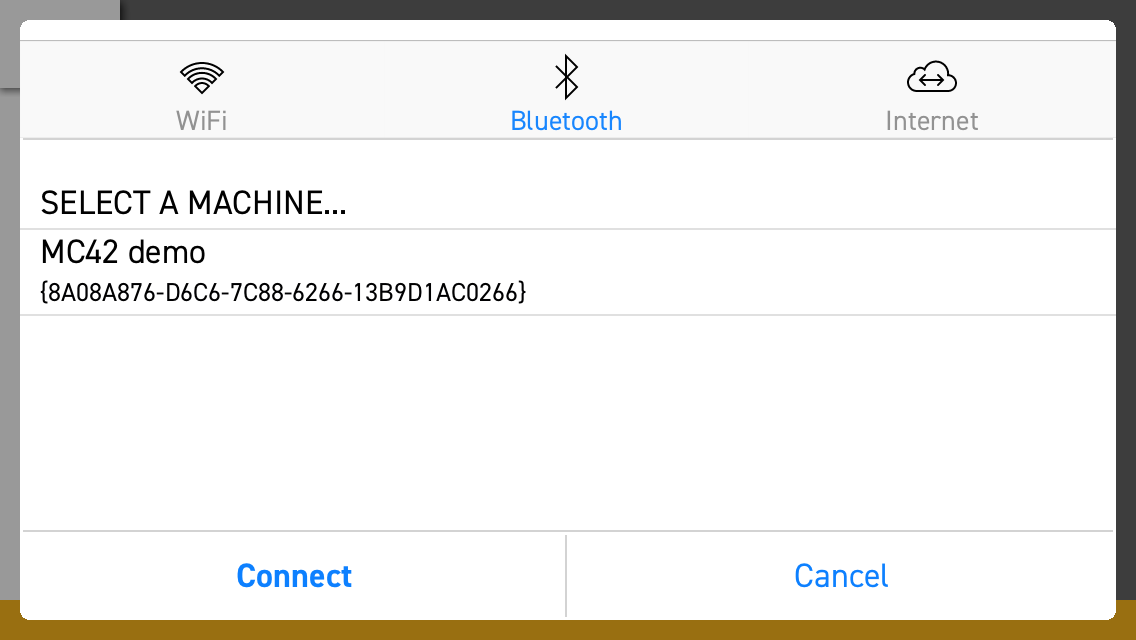
Local connections via
- Bluetooth (IQAN-G11)
- WiFi
Connection to remote system via internet using IQANconnect
Remote assistance -connect to internet
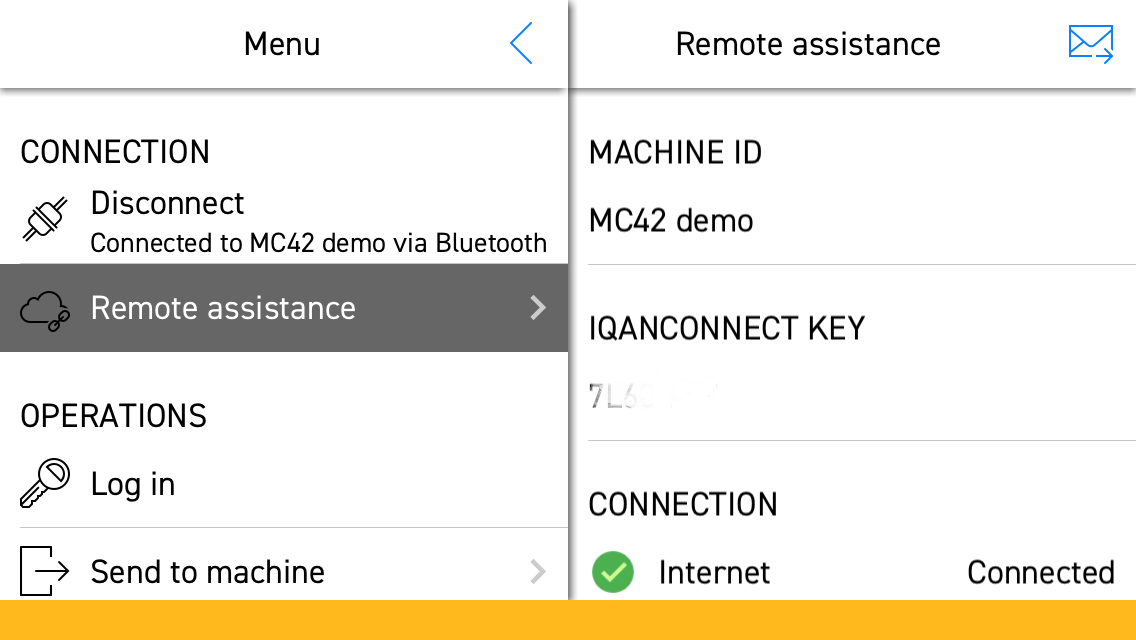
Connect machine to internet via IQAN-G11 - IQANgo app - IQANconnect
When connected, the app provides an IQANconnect key that can be emailed to a user of IQANdesign/IQANrun/IQANgo.
No license needed
IQANgo is available on Google Play and Apple App Store as a free app, no license is needed.
Advanced users connecting via Internet to remote machines need an IQANconnect license, same license as for IQANdesign and IQANrun for PC can be used.
IQANgo combine all features from the previous Android/iOS apps, IQANsync and IQANrun for tablet, including pro-features. These apps are no longer needed and will be replaced by IQANgo.



re-introduce colors in tool bar
Hi,
Since V5.0x the Lay-out is changed, like Windows-10, without any color, in my opinion it's not better!, please change it to the older version (see attachments)
Iqan 5.png



Idea : Table to manage error code
Dear
I use an electronic variator with around 200 errors codes (it is 0x67A6, 0x5678, ...).
Today it is possible with a Text+State Machine, but it is very long to do that and to maintain.
This idea is to create a new function : a table with two column, in column 1 : the code error, in column 2 : the error text. With input channel and a default text. The output is Text. It is a kind of multivector but with Text.
Nota : if possible import it by excel/csv, it will be super great.

Make log data available to the application and display pages
It would be a nice feature to make log data available to the application and display pages. For example, I like to use the logs to contain machine hours. This can include, engine hours, pump hours, motor hrs, valve hrs, fan hrs, filter dirty hrs, low grease hrs, number of starts, etc... Logs are good for storing the data, visible when you get the clone file c/w logs, with nice reset features. However, this data is currently unavailable for use within the application control logics and display pages. Its current nice to see all of the machine hours in a common log group, but it would be nice to also display some select logs on the programmed pages for operator quick reference. As for use in the application, this data can be used to trigger conditioning message or have other functions.
An alternative solution to display machine hours on the log group and display pages would be to use timers in addition logs. However, these additional timers would result in duplicate and parallel logic to the logs, and is no perfect solution.

 action selector for MD4 button
I am making the same interface in two version, one on MD3 and one on MD4.
In the md4, I can't have an action selector on buttons, it is possible on the MD3.
Is is something forgotten on the MD4?
IQANdesign video tutorials
We just posted the first video in a series of IQANdesign tutorials to
https://vimeo.com/iqan/channels
Part 1
IQANdesign tutorial part 1, adding modules and channels from IQAN on Vimeo.
Part 2
IQANdesign tutorial part 2, simulation from IQAN on Vimeo.
Part 3
IQANdesign tutorial part 3, Object List, from IQAN on Vimeo.

Option to disable MC4x DOUT Open Load detect
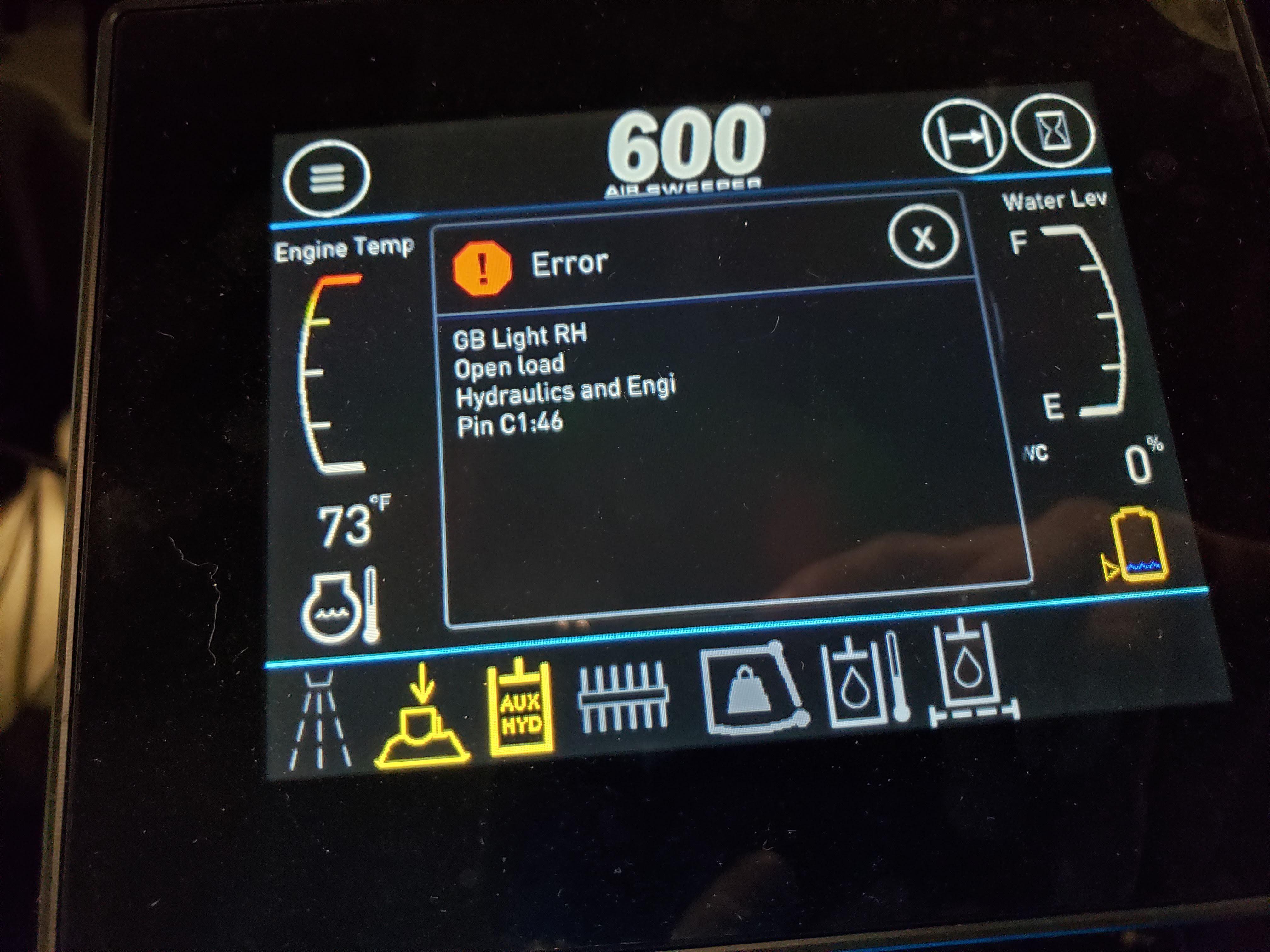
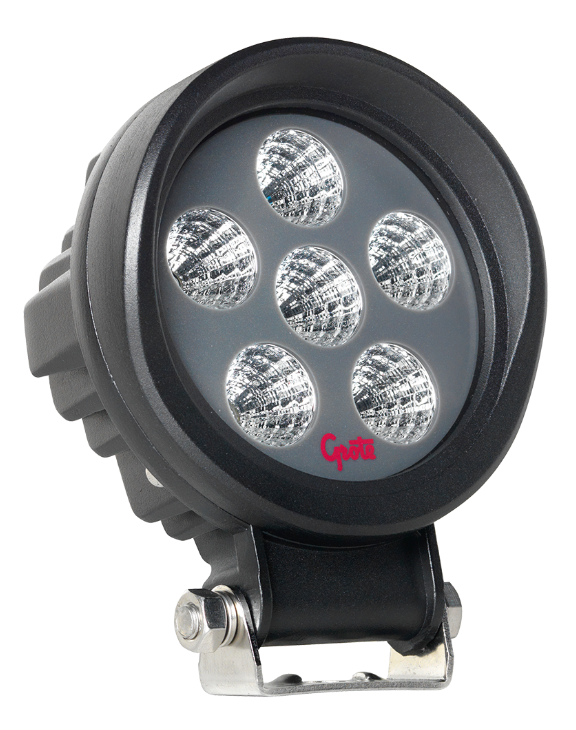
I am using several DOUT channels on and MC43 and XC44 to drive LED lights. When we crank the engine or run the electric hydraulic pump, I get open load errors on these channels. I already have undercurrent detection turned off on these outputs. I am using IQAN Design 6.02.7.5650. This is a 12 V system. The LED light is a Grote BZ101-5, 16 W total power. The channels are set up as a Digital Out HS. The pins used are MC43 C1-46, C1-48 and XC44 C2:49 and C2-50.
I have installed a 120 ohm pull down resistor in parallel with these lights to prevent the error. This is a costly and undesirable way to fix this issue. I am requesting an that the open load detection be software configurable to prevent these errors from occurring.

Text Project File to Support Revision Control Systems
I would like to see support for text-based project files so that iQANdesign projects can be more easily used with an RCS like Git. I wouldn't expect to see integrated support for Git from within iQANdesign, but just the ability to read and save back to a text-based project file.
There is already support for saving to text (albeit using an explicit operation) so that you can use external tools to perform a diff:
https://forum.iqan.se/communities/1/topics/1165-difference-between-version-github
However, because iQANdesign is unable to read (as far as I know) these text project files it prevents making use of other RCS features like merges. Binary formats (when used with an RCS) are generally treated as direct replacements, whereas text allows a system to track more granular changes to a project which is invaluable for documentation purposes (i.e. seeing which portion of the code is changed vs. replacing one file for another and hoping that all of the changes were described somewhere...).
At my company, we use a git-based repository for many of our software projects so we can collaborate more easily across locations, and I see where this same ability would be useful for iQAN and (with the text-based save option) support is already partially there.
Thanks.
Version 5.02, news in IQANdesign and IQANrun
Version 5.02 of IQANdesign, IQANsimulate, IQANrun and IQANscript are now released on check for updates. These are the highlights:
DBC -file import
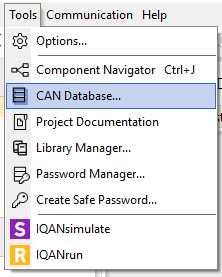
On the tools menu, there is a new CAN database feature for .DBC file import. After importing a DBC it is easy to automatically generate JFIN/JPIN, JFOUT//JPOUT, GFIN/GPIN and GFOUT/GPOUT channels from the database.
J1939 features
J1939 library
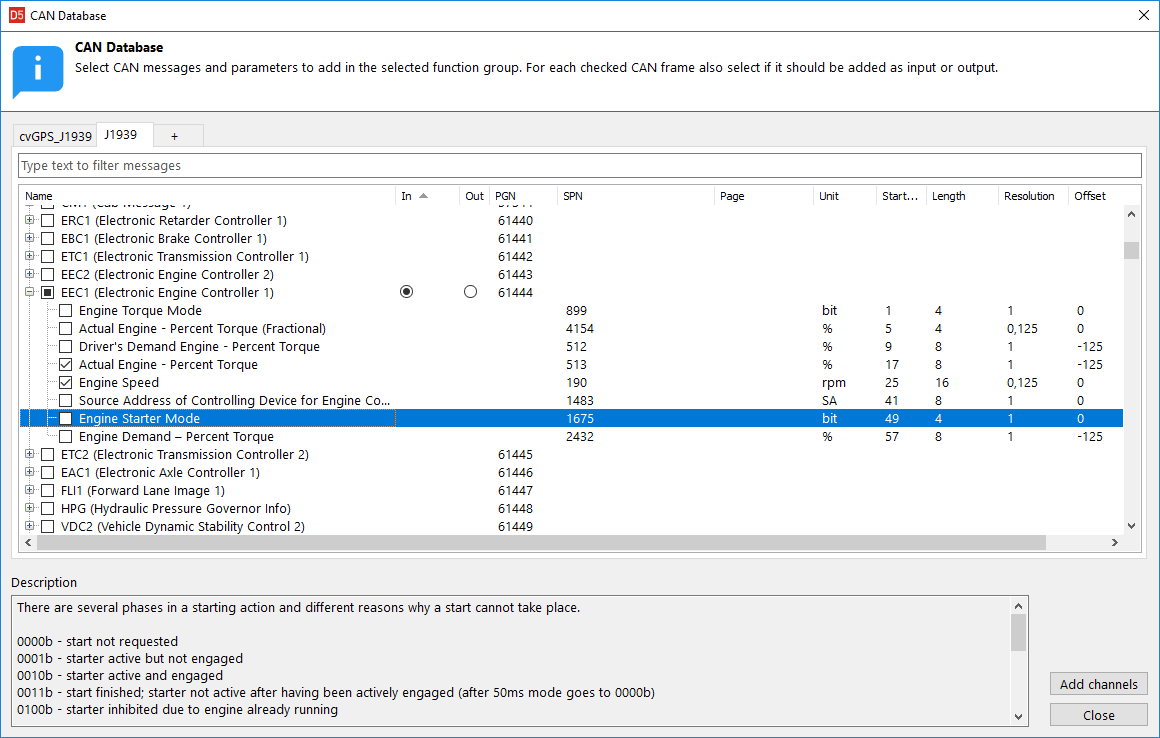
A J1939 library is included in the CAN database menu in IQANdesign. It gives easy access to creating channels with the standardized PGN and SPN numbers and names. Note that timeouts and transmit rates needs to be set manually.
DM1 out
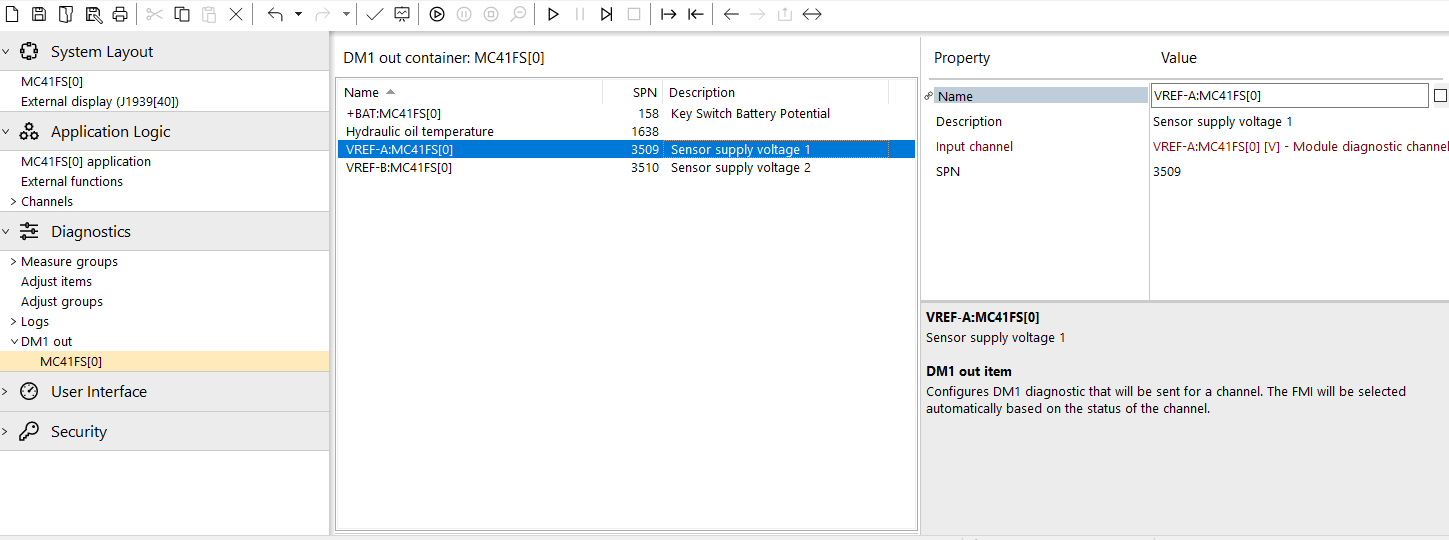
There is now a built-in function for generating outgoing DM1 messages based on channel status. Drag the channels to the DM1 out container and set a unique SPN number for each.
The length of the outgoing message is determined by number of channels with a warning or error status. FMI is set based on the channel status.
New channel type: JTOUT
The J1939 text output channel is used to send text to an external system. It supports multi-packet when text length > 8 bytes.
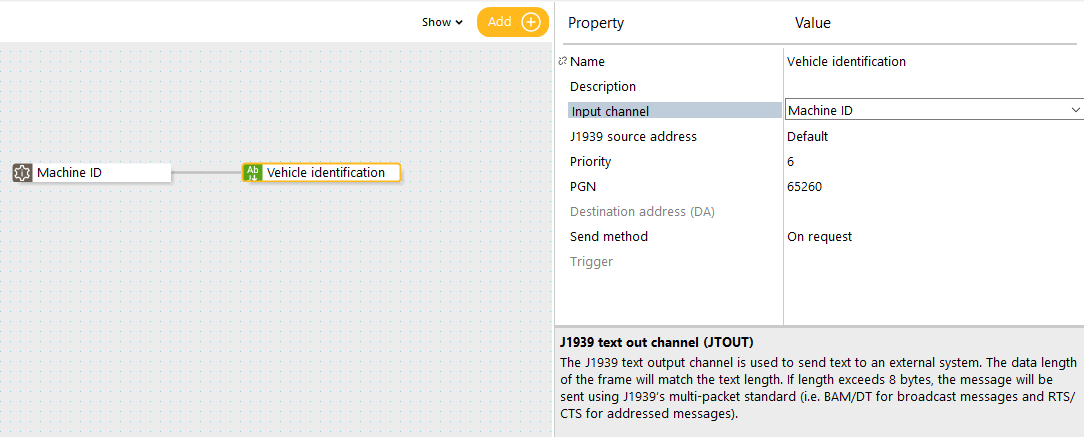
Support for J1939 address claim
Forces IQAN master modules to claim their J1939 address before starting other J1939 communication. Enabled by a property on the J1939 bus.
Support for J1939 Time/Date
External systems can now set the date and time in a master module using J1939 TDA. Enabled with property on master module.
IQANrun
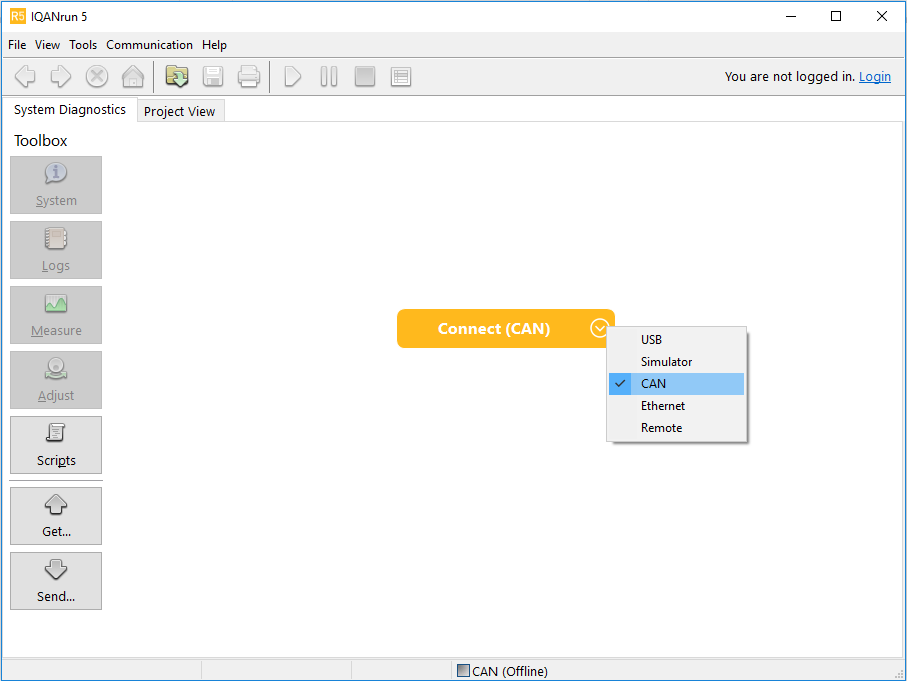
Connect button
A Connect button with a drop-down for selecting the communication interface has been added to the IQANrun start page.
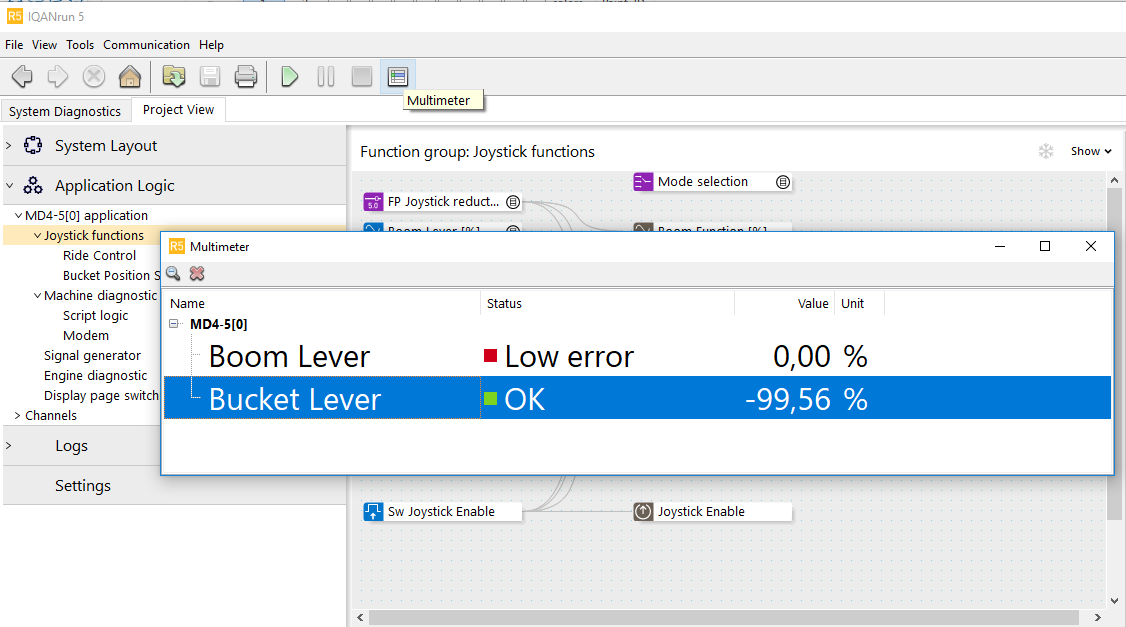
Multimeter
The IQANrun multimeter button brings up a free floating window where it is possible to make a new measure group on the fly.
Channels can be added from the existing measure groups, and also the module block diagrams and application view if this is visible.
More IQANdesign features
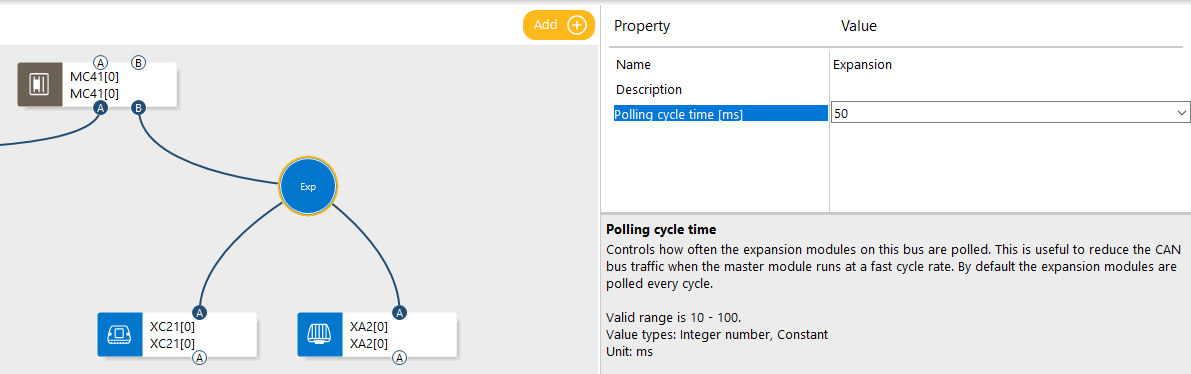
IQAN expansion bus
The use of IQAN expansions in systems with short cycle times is improved by two small changes. Property 'Sample rate divider' is clarified by changing it into "Polling cycle time", and an estimated CAN bus utilization project check is added for expansion buses.
MC4x:
Property to disable undercurrent detect on Digital out HS+LS added.
Zoom support in page editor
Makes it possible to zoom in and out in the display page editor.
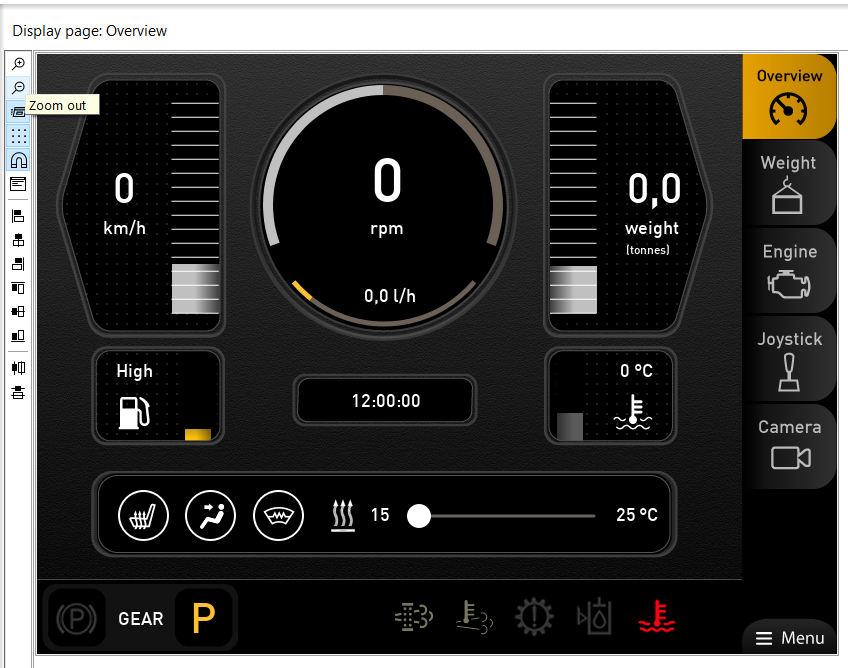
For more details see release notes and IQANdesign 5.02 user manual.
Customer support service by UserEcho




