
 Access screensaver adjustement via internal parameters
Hello,
It would be great to have the Screensaver "Dimmed" and "Black" features accessible via an internal digital parameter. There are some cases were we don't want the screensaver to be activated during critical operations. Today, it is not possible to change these settings without accessing them via the menu on the touchscreen.
Thank you.
Marc.

Is there any development interest with the IQAN hardware-software to do data/capturing with incoming data and send it to a USB device in CSV format? Something perhaps being develop[ed with IQAN design 5.0?
Data capturing with IQAN design 5.0 and hardware? Is anything in the near future on this topic?

IqanSync Trouble
Dear
I am an user of IqanSync iOS with G11 on MD3/MC2 and MC42/MD4-10.
I have find some trouble to use when I try to do some diagnostic on very far country over internet, or with poor internet connection.
Issue 1:
When you update over internet ("Connect to machine"), after click on Send machine, on the progress windows you read "Stop application", and you can wait very longtime, because on the mahcine screen there is a message to ask the user (with accept or not). For the technician it will be better to change "Stop application" to "Stop application and wait the acceptance of user".
Issue 2:
It is very very difficult (like impossible) to update the firmware of MD3 and MD4-10 if the connection is poor. It seems that the data is not store on the iPhone before start the update, but send continusly It will be better that :
- 1: IqanDesign/IqanRun send the file to the iPhone,
- 2: the iPhone install the update himself (the update can be finish even if the connection is lost).
Issue 3:
With MD4-10 the file is more than 25 MB, and there no email box can be manage file with this size. I will be better that the firmware is auto-download by the IqanSync Apps (idem for IQANrun), like that we can send just a stripped file.
Issue 4:
If the custommer install the application himself (with a file send by email), it will need the master code. How it is possible to do that without the master code ?
Regards

Video presenting the IQAN system
Here is a new video presenting the IQAN system, a couple of screenshots from the upcoming IQANdesign 5 flashes by.

Add file name in top of the window
Please display the file location string and file name in the top of the window as in iqan design and most of all other softwares. Helps when analyzing .irm files and when doing screen shots of them for documentation purposes

Refresh adjust group when parameter changed
When I change a parameter in a adjust group and another parameter his visability is depending of that parameter the parameter that should become visable is nog visible yet.
Please refresh the adjus group when the first parameter is changed.
Now we have to leve the adjust group and enter it agian.
In the menu of te masters it is working perfect.
Ability to *GET APPLICATION* from IQAN system with IQANsync and upload it to the dropbox folder
From a service and support standpoint it would be super if a feature was added to the IQANsync software for us to be able to extract the IQAN IDA file from the master module, upload it to the dropbox folder and have it be accessible from anywhere in the world with an internet connection. Being able to get an IDA file from dropbox and send it to the master module via IQANsync is very helpful, now we need to be able to reverse this process. Is there any thought for adding this feature in upcoming updates of IQAANsync?.

'Expand All' for Adjust Items
It would be really nice to be able to select multiple adjust items and 'Expand All' to get to the underlying 'real parameters'; or otherwise have some way to select them without having to expand the items. I often want to make all the parameters have the same range and step size. In order to select all the 'real parameters', it appears that I have to click on all the plus signs individually to get there. Ideally, it would be nice to use a shift-click to get all the parameters, but when selecting them this way, the items are selected as well.
IQANdesign 4.05 with IQAN-MC43 released
News
Added modules IQAN-MC43, IQAN-MC2, IQAN-MC41
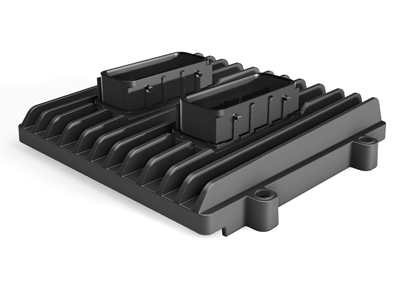
The IQAN-MC4x series is now added in IQANdesign. These controllers also add two new channel types, current loop inputs (CIN) for 0-20mA sensors, and 0-32V voltage inputs (HVIN).
For details about the hardware, see IQAN-MC4x
See separate forum topic about IQAN-MC43 release. MC4x family ready for production
IO pin number and status in IQAN-MD4 measure group
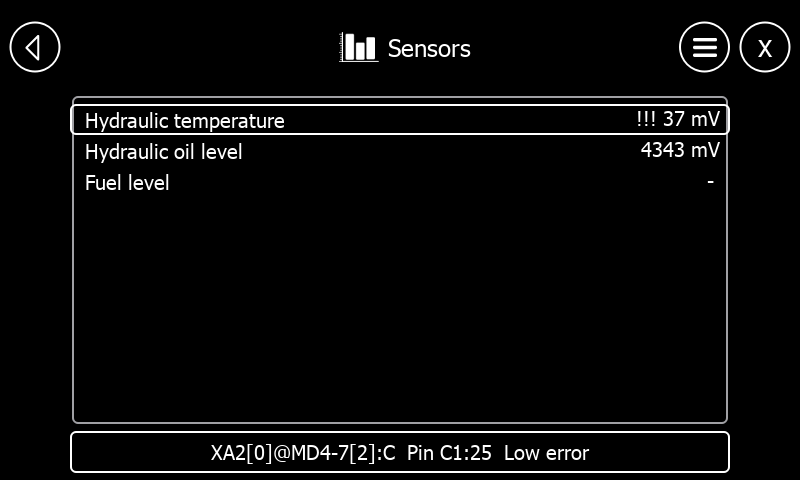
IQAN-MD4 issue and recommendation
An IQAN-MD4 bluescreen could occur while measuring if CAN-C/D was heavily loaded. Fixed.
Also added an IQANdesign hint to recommend CAN-A/B on IQAN-MD4 for multi-master diagnostics for best performance. Also see IQAN-MD4 .
For more details on the IQANdesign update, see:
http://divapps.parker.com/divapps/iqan/Downloads/IQANdesign%204/ReleaseNotes4.05.7.htm

IQANrun now available on App Store
We are happy to announce the release of IQANrun on App Store. Hurry up and get your copy today, it's offered at a low introductory price for a limited time period.
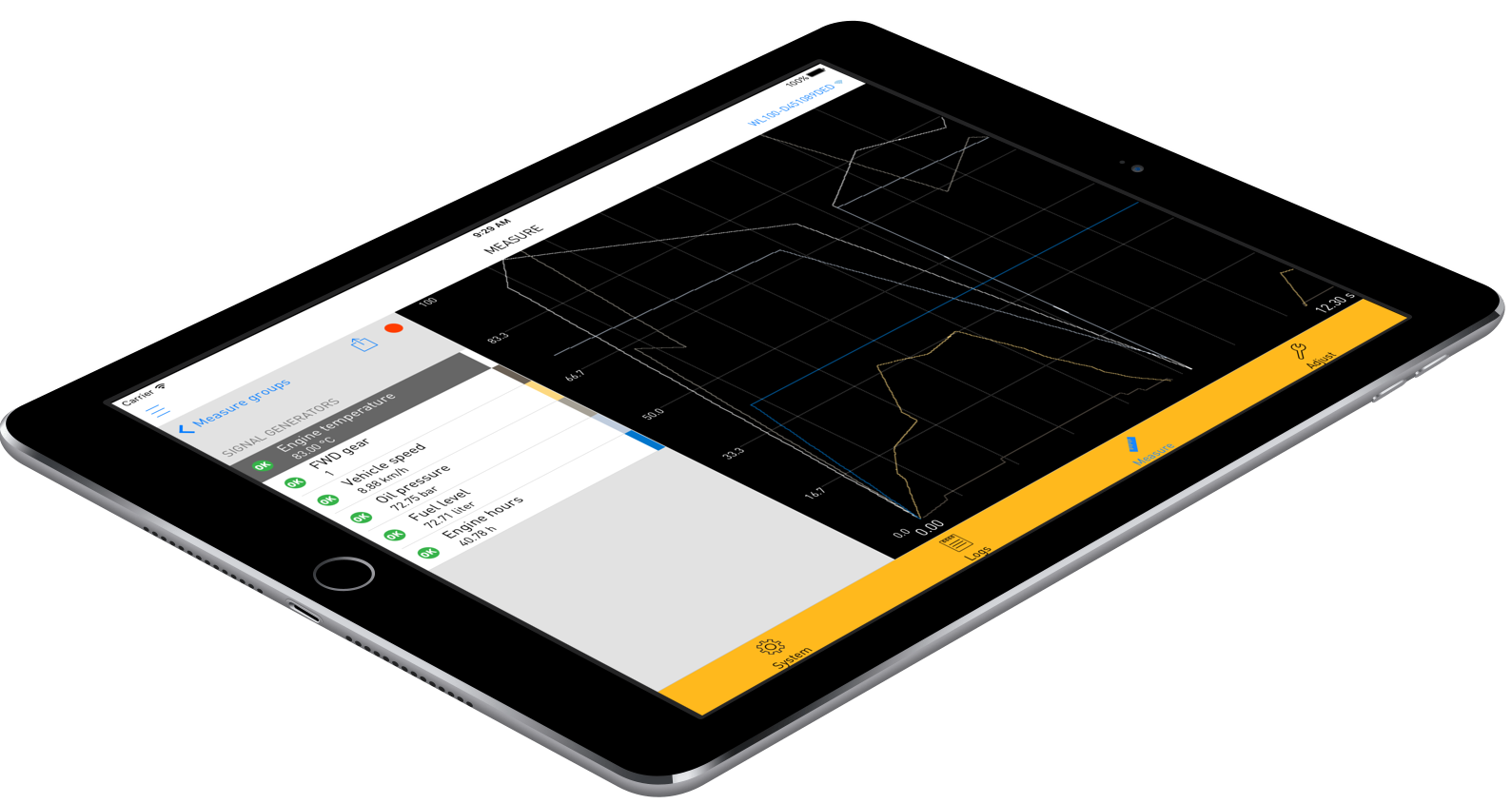
IQANrun is a user friendly service tool for the IQAN series of controllers and displays. It enables service technicians or machine owners to connect wireless to IQAN modules in their machines, and perform actions such as check system status, view logs, measure in real time and change settings.
Wireless
System overview
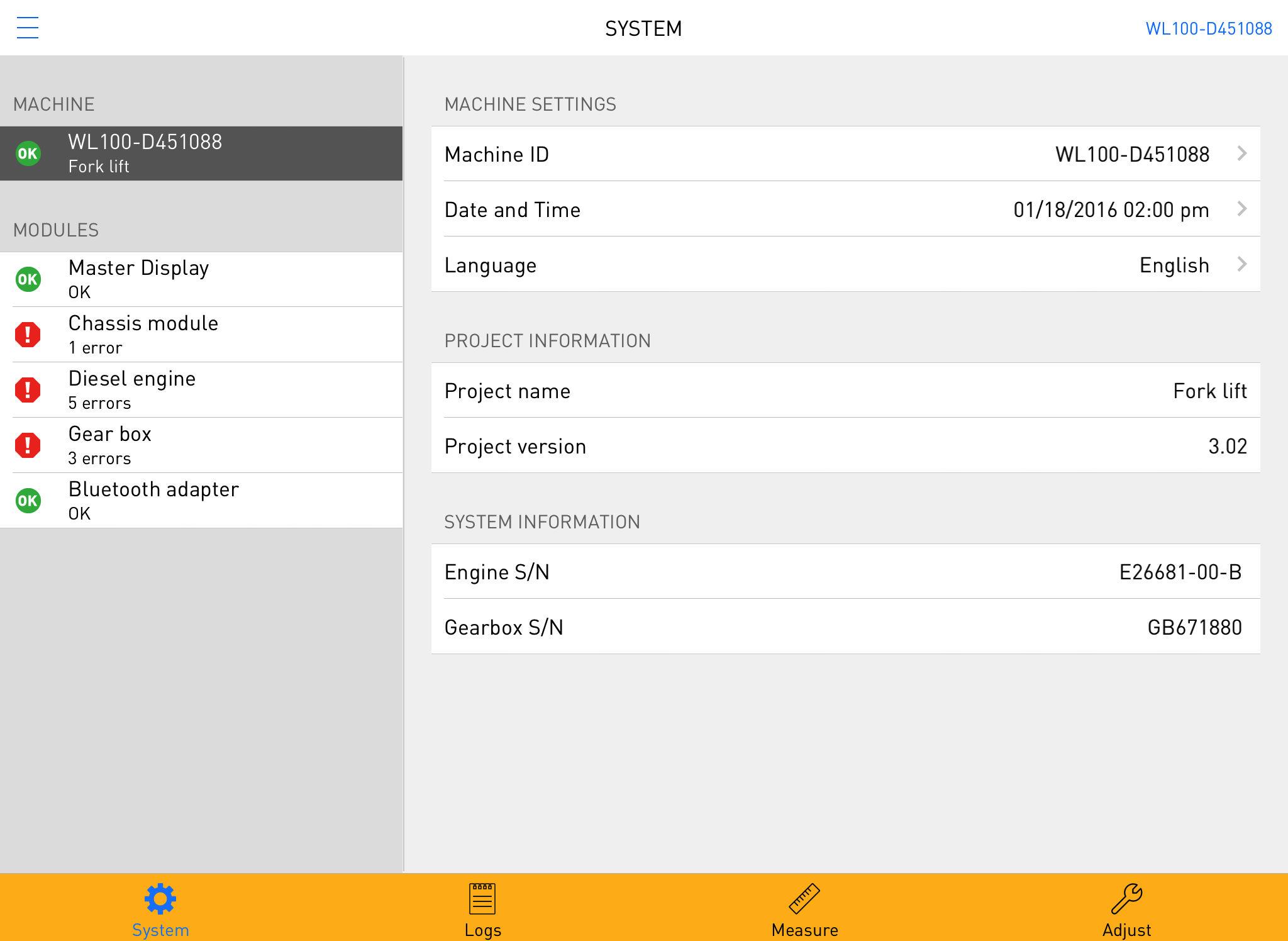 IQANrun is a powerful troubleshooting tool. It features a system overview function, where you quickly find module or I/O related alarms or errors. Here you will also find settings such as date/time and language, and module information such as serial number, software version and more.
Logs
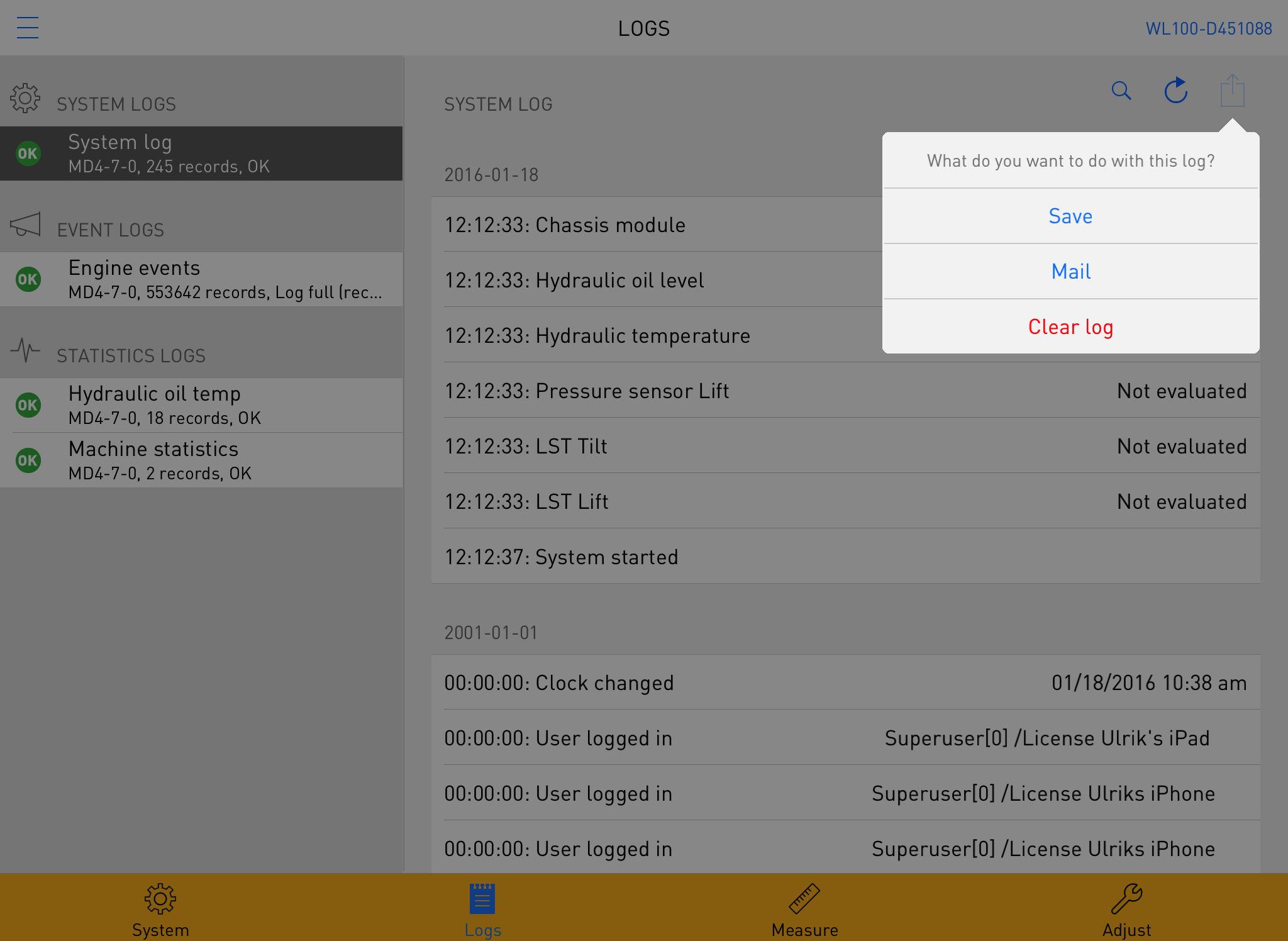 View all logs (system, event and statistical) and their content. There is a filter function that lets you find what you're looking for fast and easy. And you can erase the content of a log when needed.
Measure
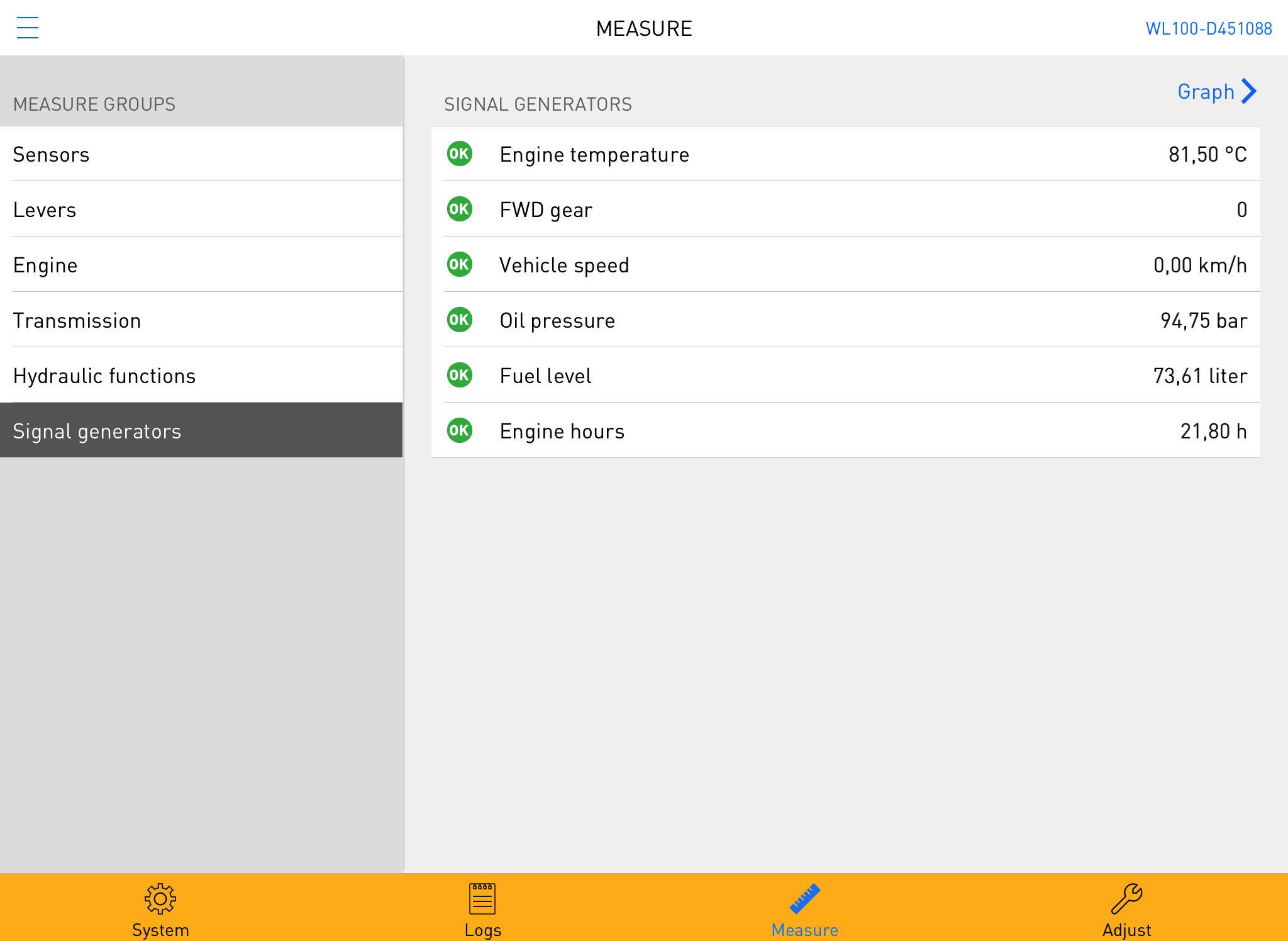 This is a powerful tool when you need to do more detailed trouble shooting, or just want to view the value on a certain input, output or internal channel. All measured values are presented with their corresponding unit and status, or graphically in a line graph.
Adjust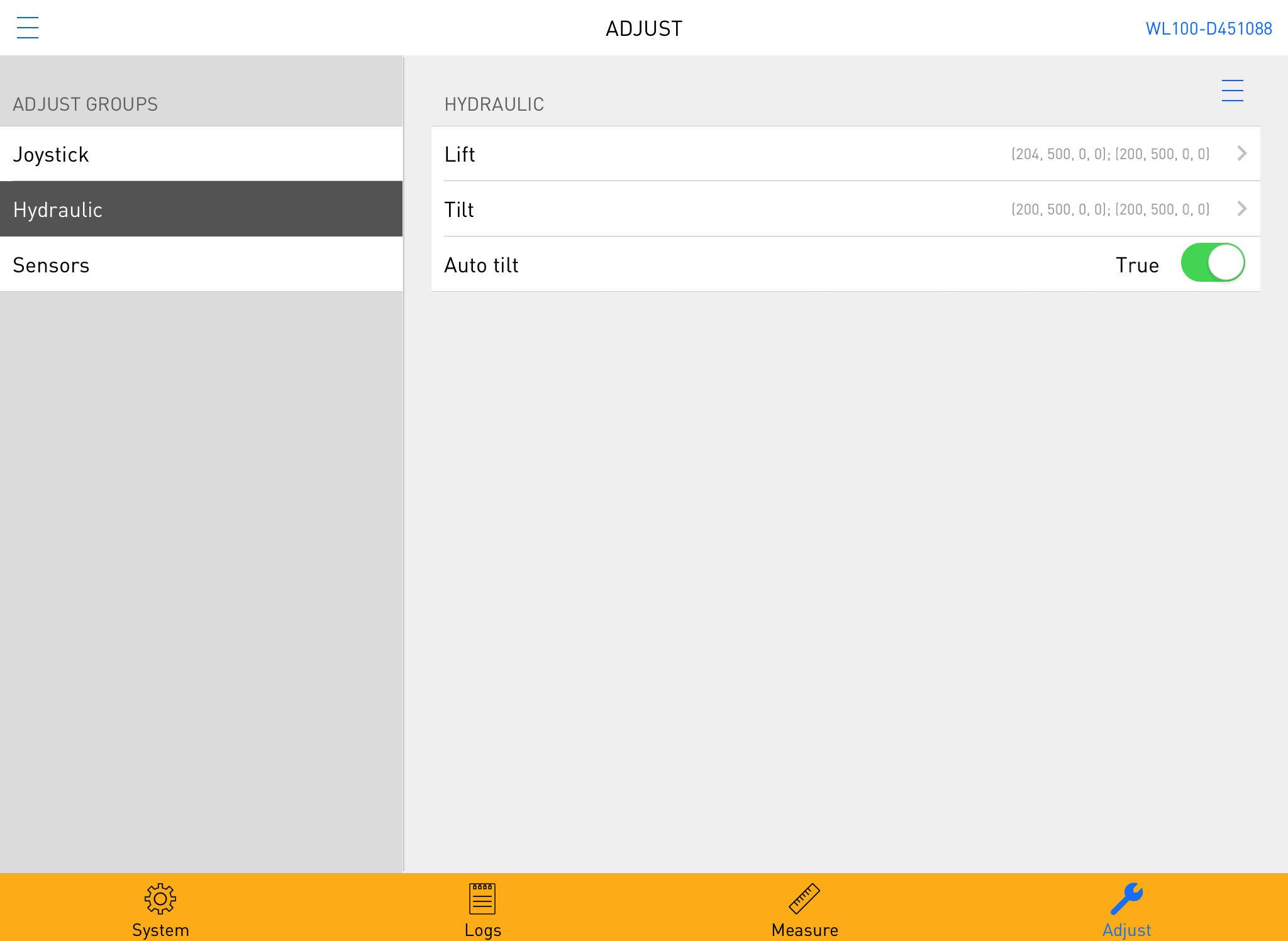
IQANrun has a unique function for adjusting inputs, outputs and parameters in real time. It is also possible to reset a setting to its factory default value if needed.
Operations

Customer support service by UserEcho


