
IQAN Creative Studio 3.18 released
Highlighted features version 3.18
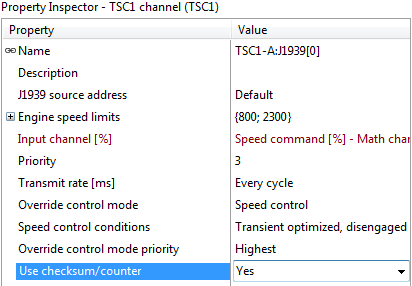
8448 TSC1, add message counter and message checksum
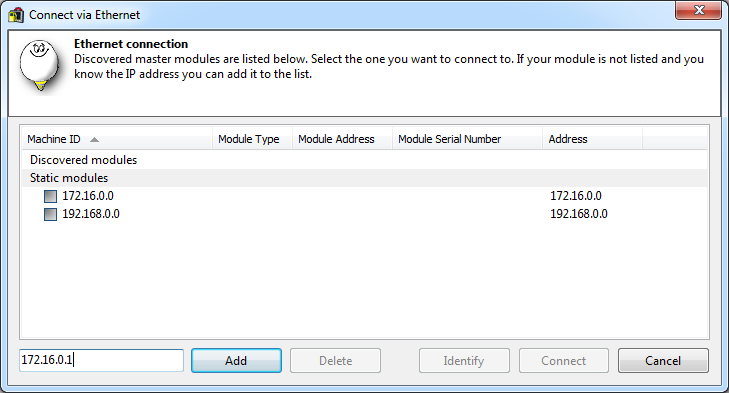
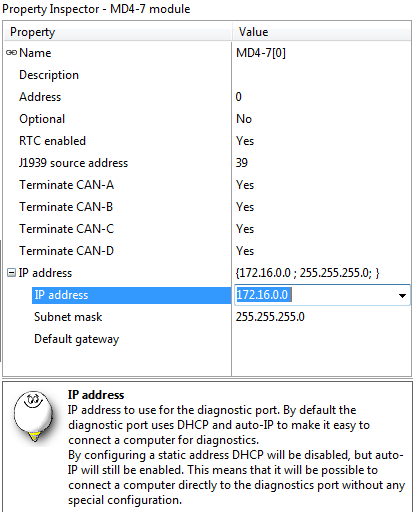
19820 Ethernet direct connection
- 10.0.0.0 - 10.255.255.255
- 172.16.0.0 - 172.31.255.255
- 192.168.0.0 - 192.168.255.255
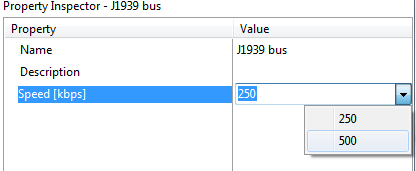
24921 J1939: Add 500 kbps as selectable baudrate
25295 Allow smart device connections for MC3 when there are no safety related function groups
25261 MC3: Import/convert 2.x settings

 Array and Channel Group function, Matrix function
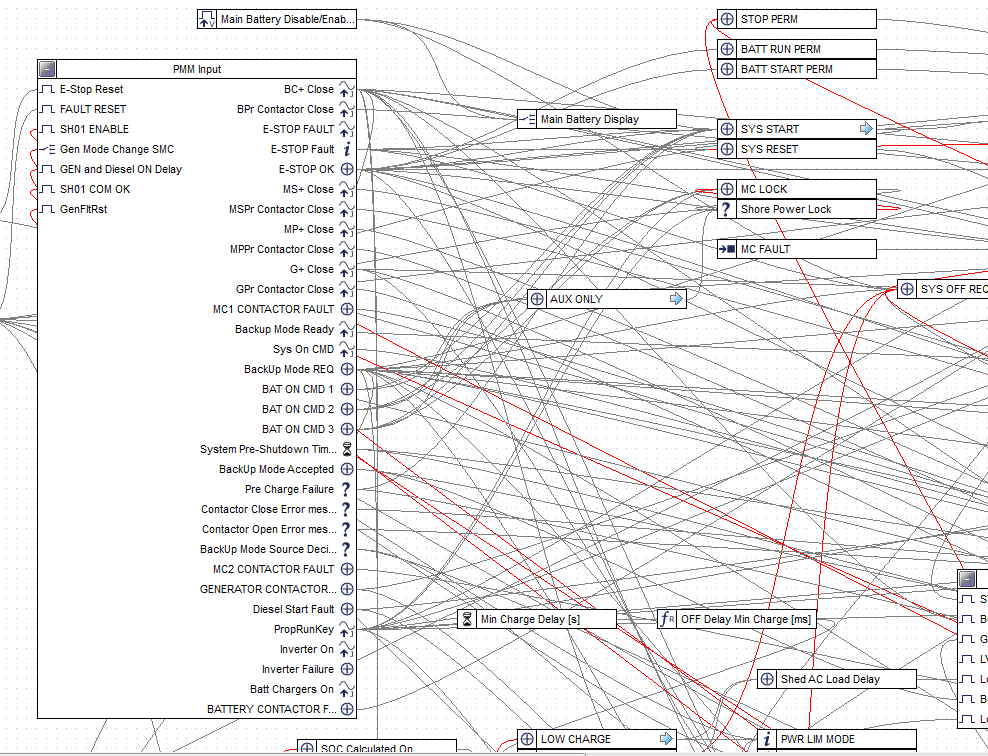
Part of the problem is that we are collecting a lot of information from an external device and it needs to be distributed. It would be extremely useful if we could group signals into Channels(record) which would allow the efficient transfer of data from one function group to another without having this humongous plate of spaghetti, It would be wonderful if the receiving module would automatically inherit all the sub elements without having to recreate them.
Array/Matrix operation. Like wise it would be nice to have the ability to manipulate large quantity of data of the same type. We are dealing with Lithium batteries. We have 120 cells and 120 temperature data point to manipulate. Do you know how long it takes to create the code to read the incoming CAN messages to collect the data and then display them in groups? And God help you if you made a mistake and need to re-organize it. And forget about trying to calculate min/max and average. In almost any other language a for to loop and an array structure make dealing with such items a breeze.

Component Navigator in IQANRun when having full access password?

 md4 bilinear bar display
Can't find them on the MD4 display.
Is there one?
IQANdesign 4.01 released
Highlighted updates
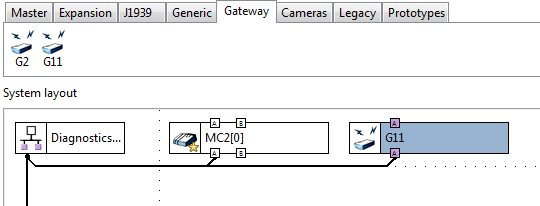
New gateway module IQAN-G11 added
The IQAN CAN bus to bluetooth dongle IQAN-G11 added in IQANdesign. More information will follow when hardware and apps are released.
Qcode improvements
Show most sever error as status on row.
Improve Qcode auto-completion.
Include Qcode instructions in channel hint when Qcode is selected
Camera
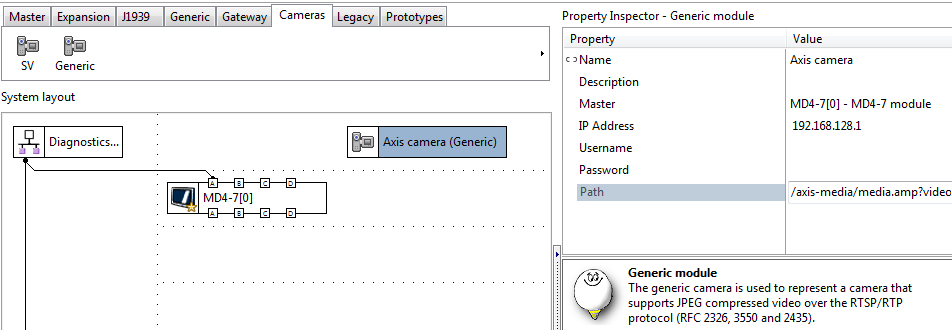
Added module for Generic camera as alternative to IQAN-SV.
Functionality similar to IQANdesign 3.x
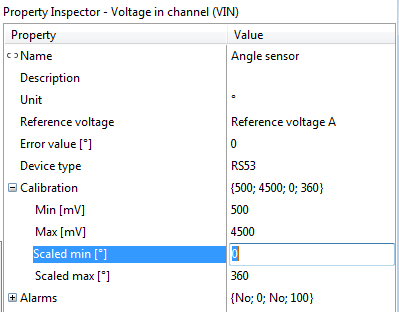
Show unit on scaled max and scaled min
For VIN, PWMIN, FIN, DFIN, PCNT and DPCNT
Also added unit to reset value for MEM, TMR. PCNT, DPCNT
New solution library examples
Added IQANdesign example files for:
- Start button NO NC (both project file .ids4 and simulation file .isa4)
- J1939 Fluid Property Sensor (FPS)
- J1939 particle counter IPDR (iCount)
Added IQANscript example files for:
- Get system info and clone (.iss4 script file, installs with IQANscript
IQANsimulate 4.00 released
Highlighted features
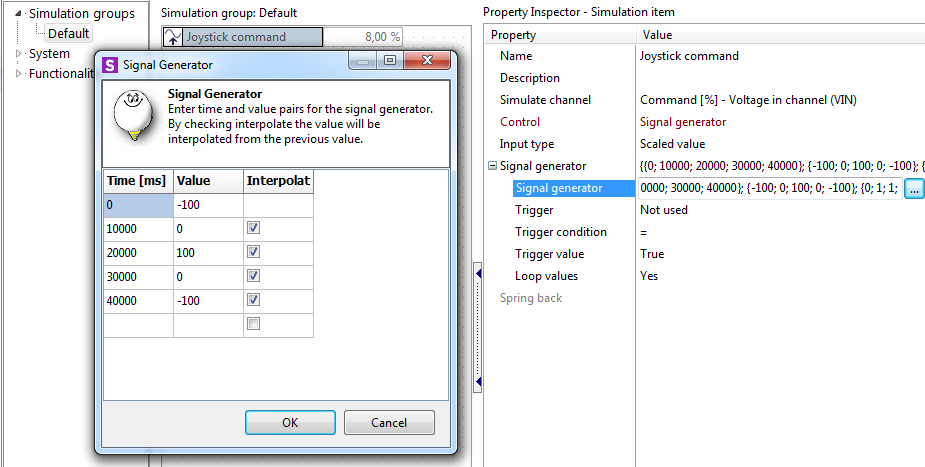
Signal generator
It is now possible to control the value of a simulation item using a signal generator. The signal generator contains a table with time/value pairs.
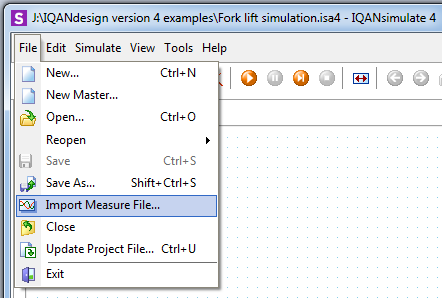
Import of measure file creates simulation items for each channel in the measure file that can be simulated (inputs). Values from the measure file are also imported so that you can play back a measured scenario.
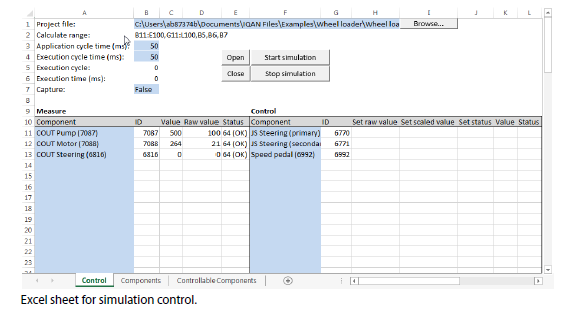
Interface to other simulation software
ActiveX support implemented. Makes it possible to read and set values from external software, e.g. Microsoft Excel. There is an example file for this under the examples folder.
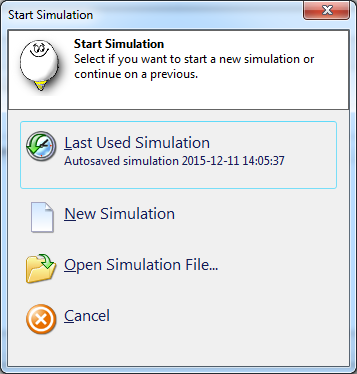
Remember input values and settings between simulations without having to save
Simulations can be manually saved as .isa4 files. There is also an automatically saved simulation, that stores the input values and all the settings between the simulations. When launching IQANsimulate, there is an option to select whether to use a saved simulation file or create a new one.
Keyboard shortcut for small input changes
In the simulation group view the arrows are used to select channel. Ctrl+arrows are used to change the value of the selected track bar. Added shift+ctrl+arrows to change values in raw value steps of 1 (smallest step available).
Possible to add channels to simulation group while simulating
"Set value" function more accessible
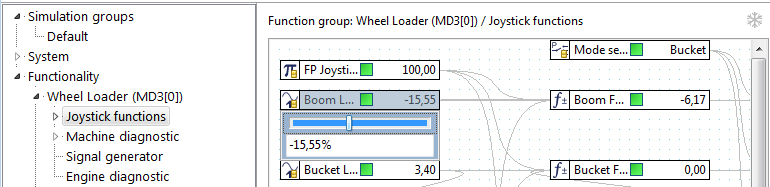
For more details, see release notes.

.DBC file import
It would be fantastic to have a script to import .DBC files that would generate automatically the GFIN/JFIN GFOUT/JFOUT as well as the associated JPIN/GPIN JPOUT/GPOUT. That would literally save be weeks of typing and may mistakes!

Slow start IQAN-SV
Hi everyone,
I have a concern regarding IQAN-SV cameras.Our client has two working machines (not new) on one, cameras are booting up quickly. However, on the other one, the cameras' boot is pretty slow. He tried swapping cameras/cables without any effect. Has anyone run into this kind of issue before ?

Ability to Filter through multiple FMIs under a single SPN
Currently when a DM1 message is received where a single SPN has multiple FMIs (low, moderate, and severe warnings) the IQAN system will only show one FMI when the channel is referenced and it is usually not the most severe one.
The request is to add the ability to reference all the FMIs under the SPN channel and/or have the SPN channel show the most severe warning when multiple FMIs are present.
'Send Project' and 'Get Clone' takes very long in Multi Master System
When sending Software to our Multi Master System or getting Clones, we have to wait multiple minutes. (System: MD5-5, MC41FS, MC43FS with XC43)
Our Previous Systems (MD4-7, 2x XA2, 2x XS2) was able to send, update and get software in less then a minute.
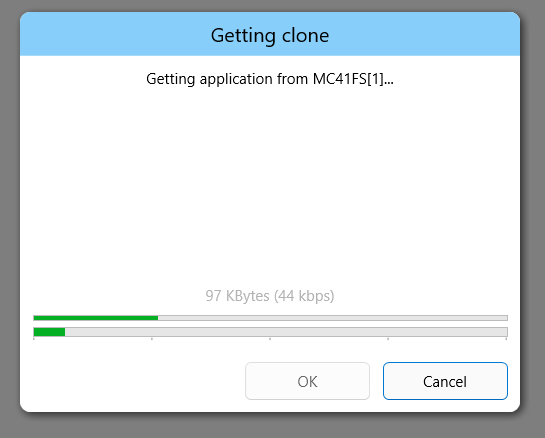
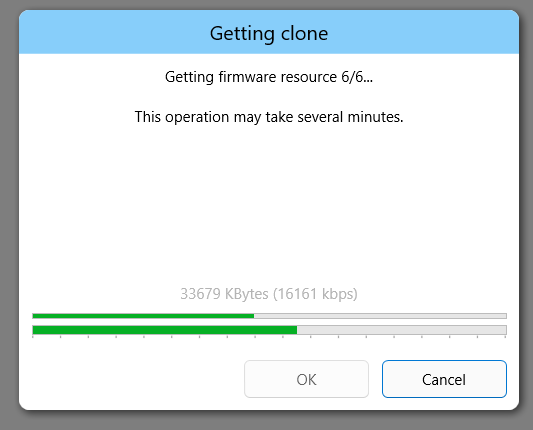
When Getting a Clone it is displayed, that the application is being downloaded with only 45 kbps. Later, when getting firmware resources the speed goes up, above 1600 kbps.
Is this a Software Issue or are we working with incorrect Settings?
Connection Type: Ethernet
OS: Windows 11
SW: IQAN Run 7.06 and older, IQAN Design 7.06 and older
Customer support service by UserEcho


