
 MD4 Log
An XC43 sent a COUT error to the MD4 display, which is the master module in the CAN bus network. However, the error was not logged in the MD4 log. Any idea why this might be happening?

Link the PGN of a JFIN to a channel inside an External Function, to vary the PGN
Hi,
I want to create an External Function that will contain a JFIN.
When I will import the External Function, I would like to be able to vary the PGN property of the JFIN.
At the moment, it seems that the PGN property of the JFIN can only accept integer number, it cannot accept an integer coming from a channel.
If I insert the External Function in my project, I will not be able to change the PGN property of the JFIN because it will be locked. And I do not want to change it to the same PGN value for all the occurences of the External Function.
I would like the PGN to be a FGI to the External Function.
My use case is that I want to control Hawe PSx CAN valves where they have a different PGN for each valve section. It would be neatly integrated inside an External Function so I could reuse it for all the different valve sections I have in my project.
Any workaround?
Thank you and have a good day!

Updating IQAN Program Without Losing Modified Parameters
Description
Hi,
I would like to ask about the best way to update a program on a machine that already has an existing IQAN application installed, especially in cases where some parameters have been modified from their default values.
If we upload a new program with the same project ID:
- Will it overwrite the existing settings (i.e., reset parameters to default)?
- Or will the current parameter values be preserved?
I want to make sure we avoid unintentionally resetting user-defined or tuned parameters during an update.
Thanks in advance!

Multi Display, Multi Camera issues
I am having an issue with a dual display setup that has multiple cameras. The cameras we are using supports 5 streams.
If both displays have the feed going, and one display is turned off or looses power, the stream on the other display goes down, and the only way to bring it back online is to power up the other display or cycle power on the ethernet switch.
Is this normal behavior. if so is there any way to see the camera status for the display, so after x amount of time, of not having a camera feed, I could reset power to the switch to resolve this issue?
ISO 17215 Setup
I am trying to setup some cameras that have ISO 17215 abilities, but I can not get them to show up on the display.
I can assign the mac to a camera, but that is about all.
I can not find any documents on how to setup 17215 cameras, and when I tried to wire shark a SV camera, I could not see any of the ISO messages.
I am able to stream the cameras over RSTP so I know the camera and streams are working.
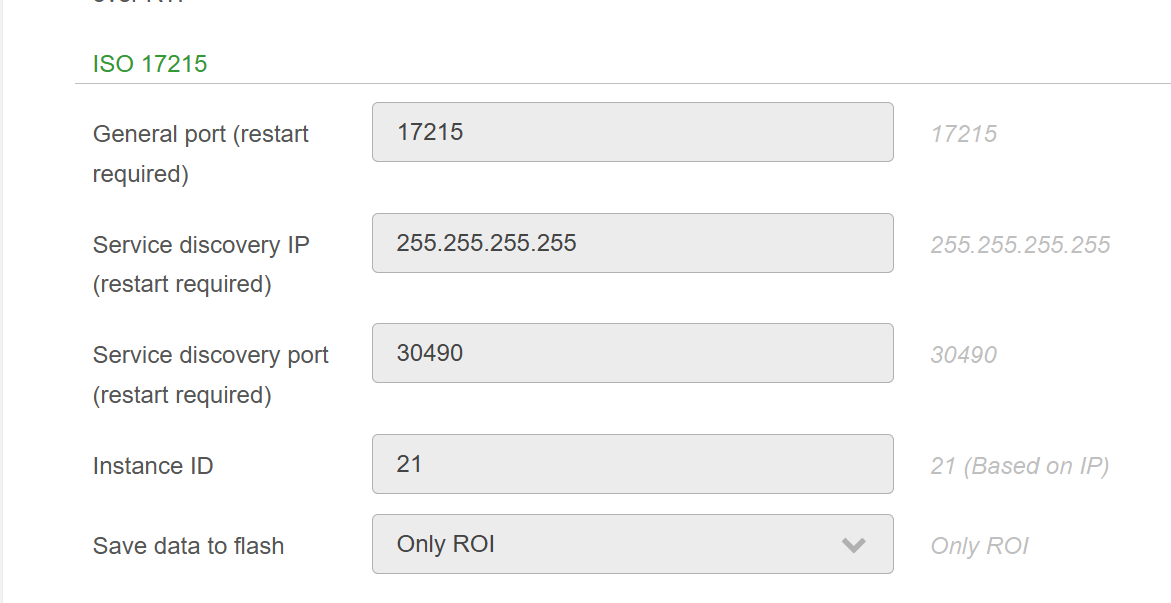
These are the settings in the camera, and the IP is set to DHCP, can anyone confirm this is correct?

 Iqan 7.05 no longer available for download
Iqan design and run 7.05 is not available for download on the Iqan store. This is our last version available with our license. Is there a reason it is not available?
RTSP Camera Resizing
Is there any reason when you use a RTSP camera, and make the camera picture smaller then the stream it just crops the stream, instead of resizing it to fit inside the window?
I ask, because when you view streams on a PC, you are able to scale up or down the video to what ever size you want. Yes it will effect quality I know that. But it would be nice to get the image to fit inside your display page perfectly without loosing any of the FOV.

Updating firmware from 6.08 to 7.05 FAILS REMOTELY!
When updating our firmware programs on customer units from v6.08 to v7.05 remotely we can't accomplish this without asking something of the customer we really can't reliably expect from all of them.
They have iqango, connected via bluetooth.
Currently the only solution I have found is the following:
1) Remotely connected: using v6.08 install a blank program, power cycle
2) Email a v7.05 blank program to the customer, they use iqango to send it to the module, power cycle
3) Remotely connected: using v7.05 install the real program, power cycle
Attempting to remotely perform step 2 results in an immediate rejection of the remote connection.
This program is simply a single MC41

SPN 4207 checksum support
I've been using the CRC parameter in IQAN design for J1939 messages that require SPN 4206 (rolling counter) and SPN4207 (checksum). I can't find a configuration that works. I assumed that the "J1939 checksum" option was for SPN4207 but that doesn't seem to be the case (I just get checksum errors from the destination device). Am I missing something or is the CRC parameter not configurable for SPN 4207? I'm having to do it the long way around doing the calculation (it works but it's very messy). SPN4207 is a 4 bit checksum (as below), SPN4206 is a 4 bit rolling counter.
Checksum =
(Byte1 + Byte2 + Byte3 + Byte4 + Byte5 + Byte6 + Byte7 +
message counter & 0x0F +
message ID low byte + message ID mid low byte + message ID mid high byte + message ID high byte)

Message Checksum = (((Checksum >> 6) & 0x03) + (Checksum >>3) + Checksum) & 0x07
XC43 Overload on all current outputs
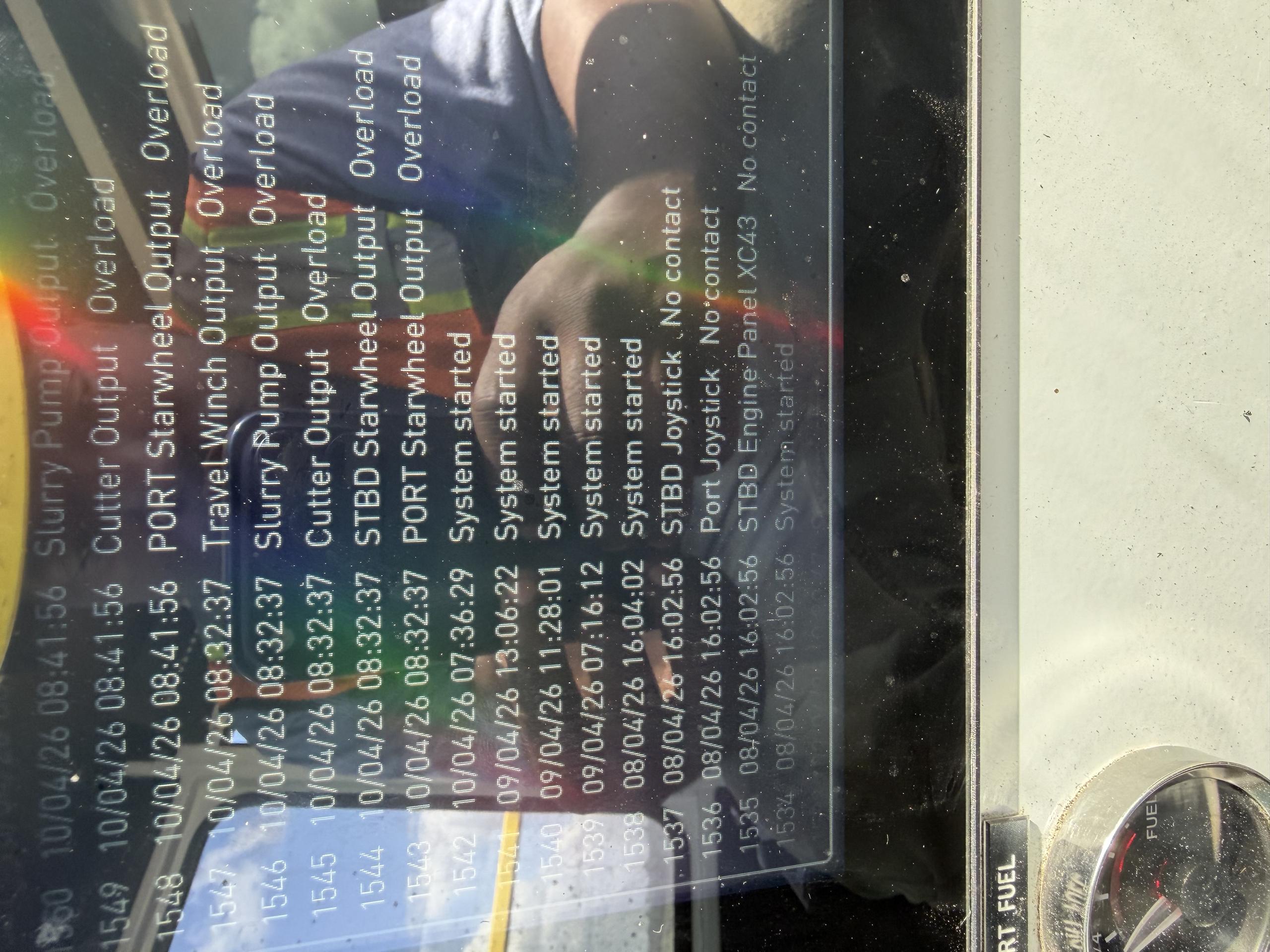
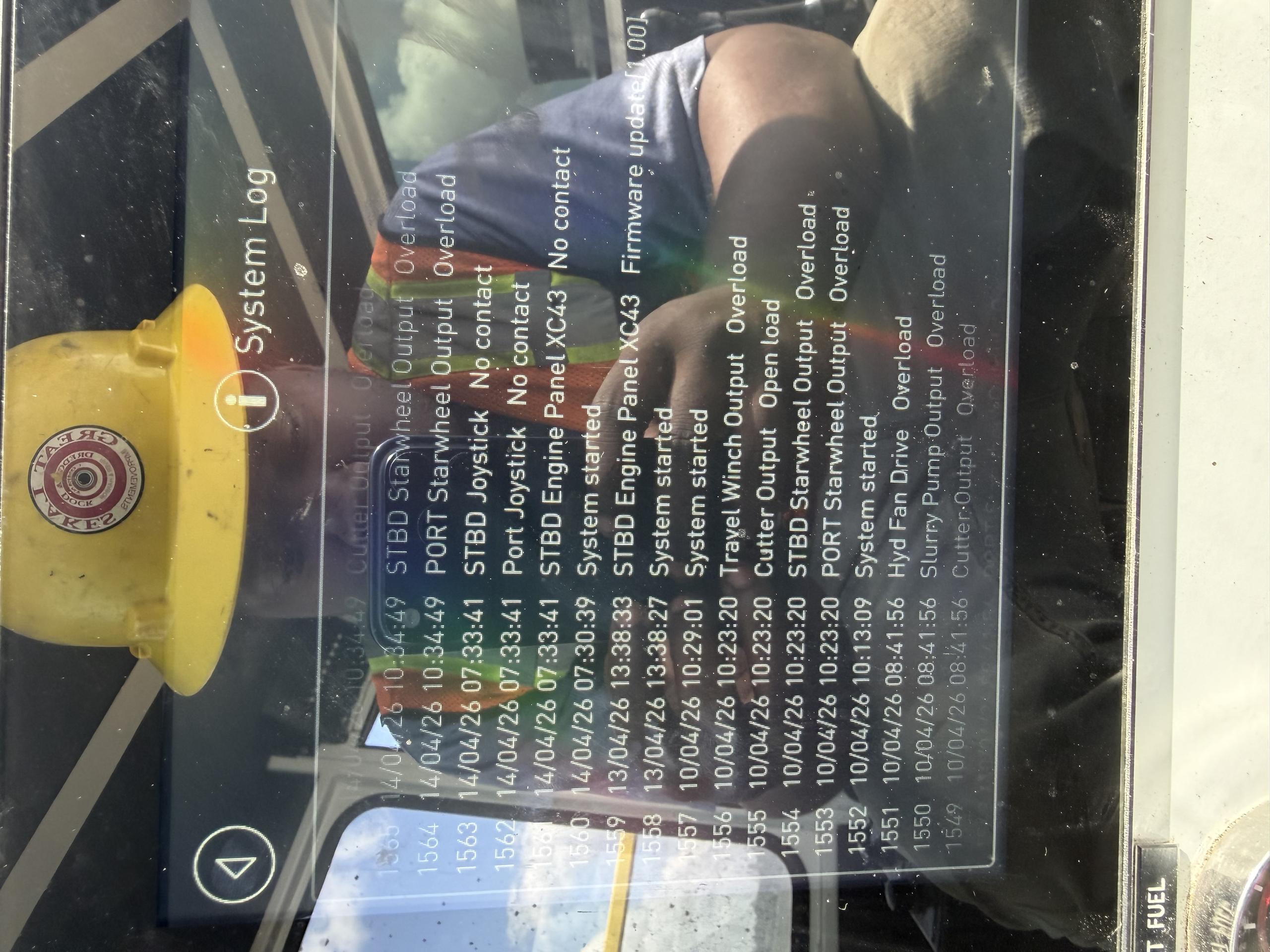
Has anyone ever seen overload errors on all of the current output from an XC43 or have any idea what might be causing this?
This is an MD4-10 running on V 6.01.6 connected to a diesel engine on CAN A, XC43 on CAN C, and qty 2 LC5s on CAN D
This is an intermittent issue. Sometimes they will go a day without any errors while other times they see them every couple of hours or so.
This machine did have an alternator failure recently, so we initially thought it was a damaged XC43 module from possible voltage spikes from a failing alternator, so we replaced the XC43. The new XC43 worked for a day, but then the errors came back. All of the wiring looks good and we're told the new alternator is putting out a steady 27.5-28V.
I'm leaning towards replacing the MD4 and updating the firmware hoping that will fix it, but I'm kind of grasping at (expensive) straws at this point.
Customer support service by UserEcho


