
 MD4 refresh rate for specific variable using 6.08 IQANdesign
We would like to update a specific variable on the MD4 at a frequency of 4 Hz, rather than at every change based on the MD4's 50-ms cycle time.
How can we do this in a simple and optimized way?

 md4-5 firmware 6 to firmware 4 update
I have a MD4-5 master display that is blank with firmware version 6 but the IQAN program for it is IQAN 4.06. I need to back update the firmware to version 4 to be able to program it with the program.
QCode Documentation
Does Parker provide documentation for the code syntax used in QCode?. I normally just guess and let the assistant complete things for me. It would be nice to have documentation the lays out and explains all of the options. Thank you

 Phantom Instruction in calculation order window
While manually ordering the calculation order in a module, I noticed that we had an extra module added. See attach Screenshot. 10 element to sort out for only 9 in the window. Seem to appear after moving the first element.
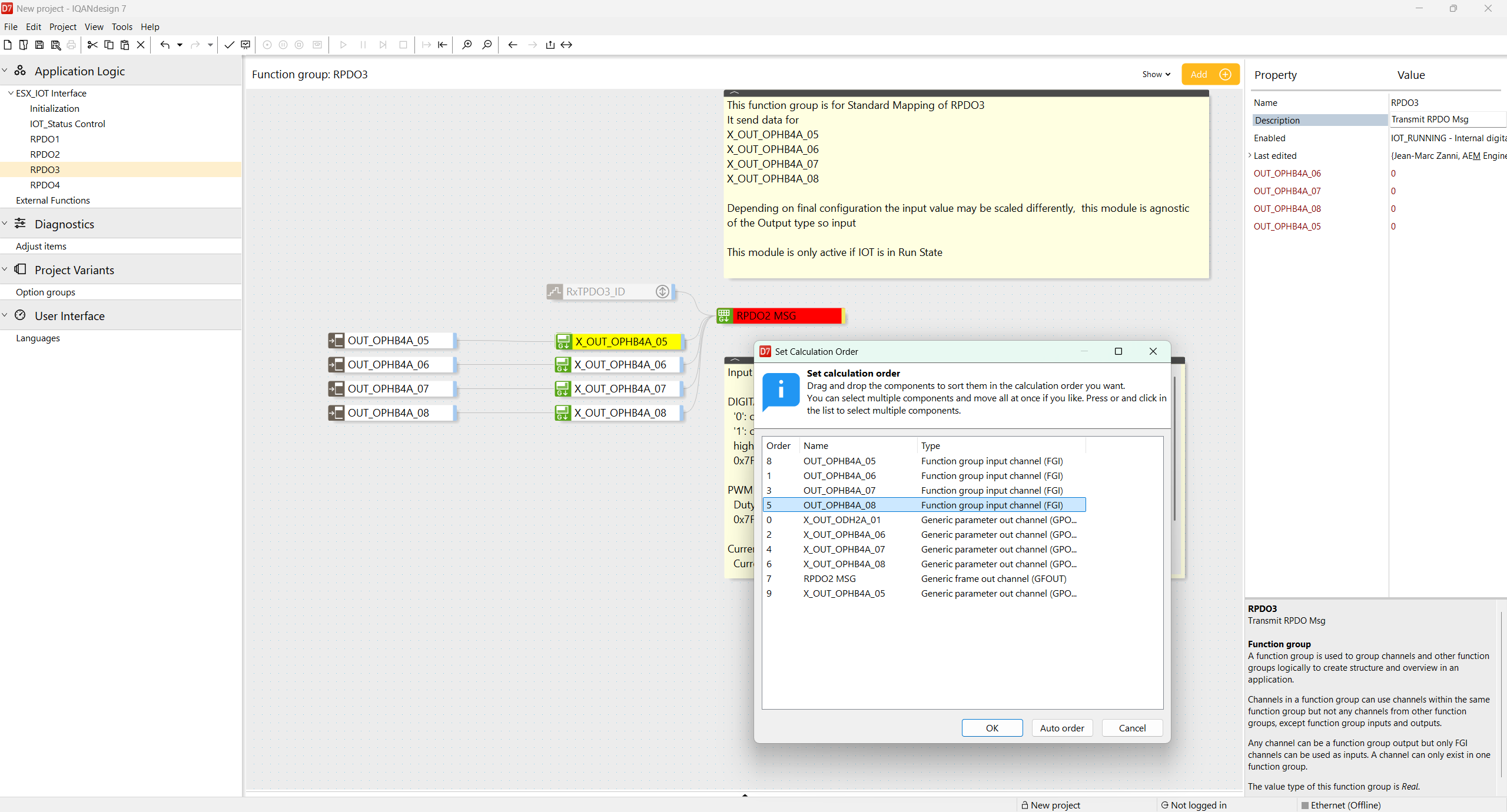
Functionally does not seem to matter.
May be the reference to a Global variable causes the issue?
this happened while creating a new External module.

MC4X PWM LS Connection Only
I was wondering if its possible to drive an PWM output (snippet below) only through the PWM LS?
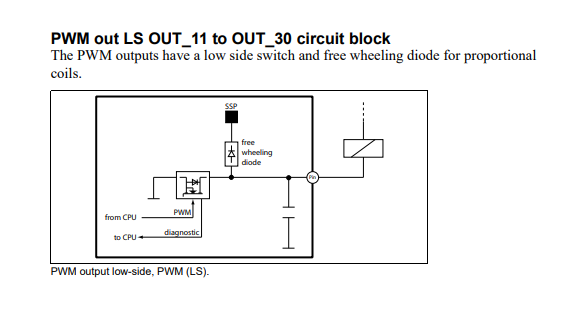
So for example can i use PWM HS+LS C1:14/C1:39 but leave the HS disconnected and just drive through the LS (C1:39) since current is around 40mA?


RTSP camera IP address
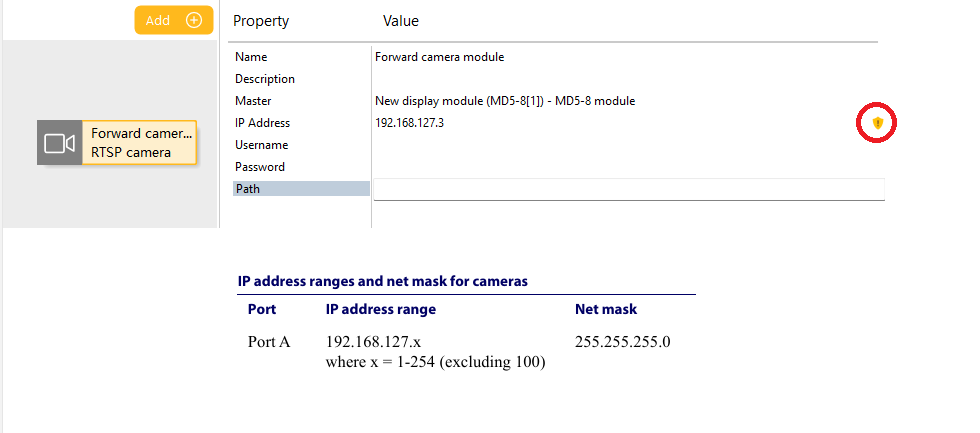
I try to define a static IP address to RTSP camera which is matching requirement on port A in IQANdesign manual but it is a warning symbol about invalid camera URL.

md5 stuck sending firmware
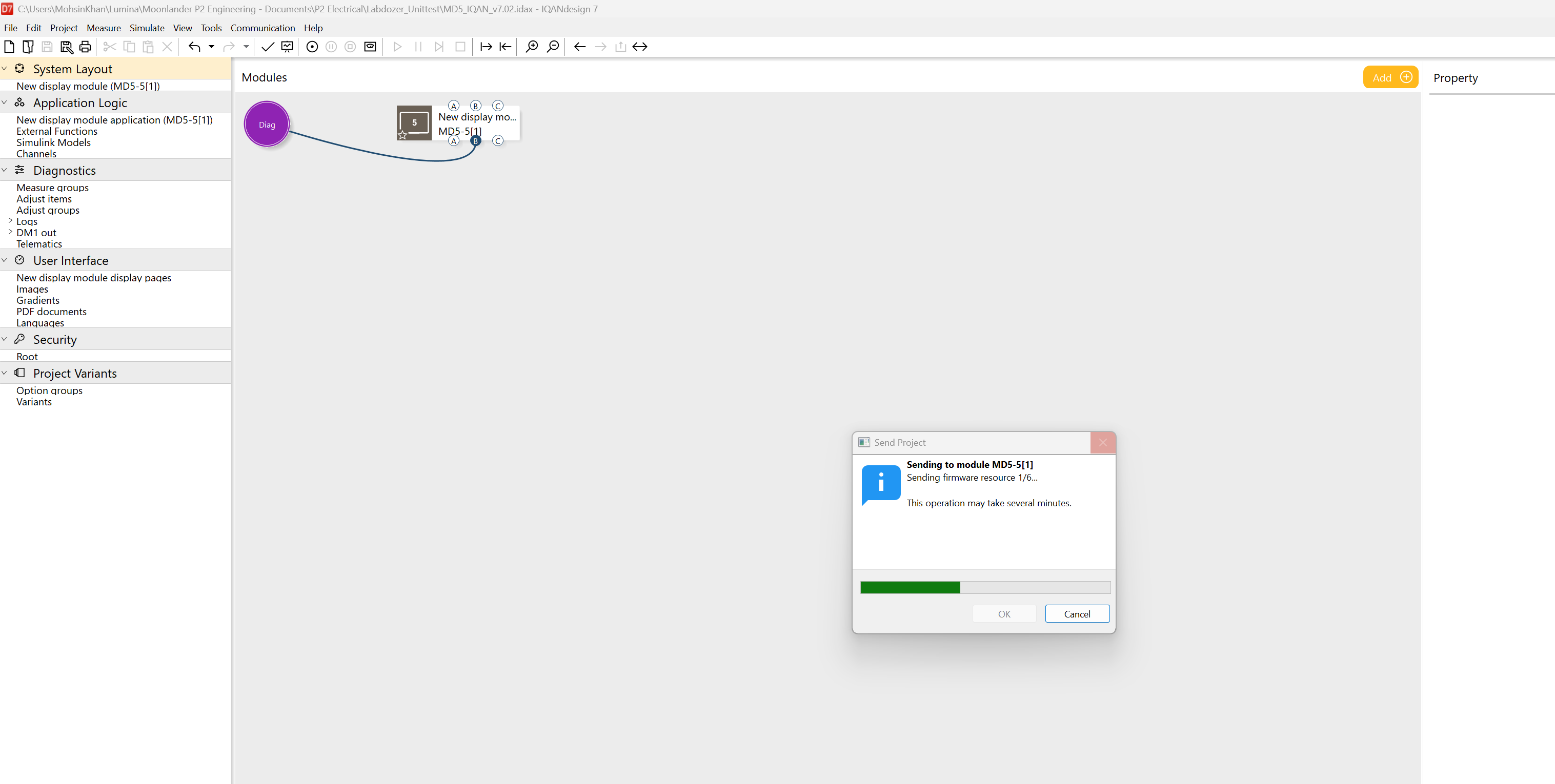
When flashing MD5-5 or MD5-10 displays using IQANdesign it remains stuck on 'Sending firmware resource 1/6...'
I have tried IQANdesign versions 7.02, 7.03, 7.05, & 7.06.
Any ideas on what the issue is and how to resolve?

Current Output channel only outputing min or max values, not ramping.
I have multiple machines programmed with the same program. One machine has a Current Output channel that wont ramp with the input channel. Once it sees a value it jumps to 100% output instead of ramping. Ive tried changing from (Multiply%) to (AbsoluteMaxOf) even thought it has 1 controlling line. In the process of diagnosing we've even tried 7.05 and 7.06. Again I have identical machines with identical programs and they operate correctly. Error1.mp4
Error2.mp4

Function group logic works even when it is disabled
When using a function group with a slope filter, I encountered a problem: the slope continues to increase, even when the group is disabled. It appears that the group continues calculating in the background.
Customer support service by UserEcho


